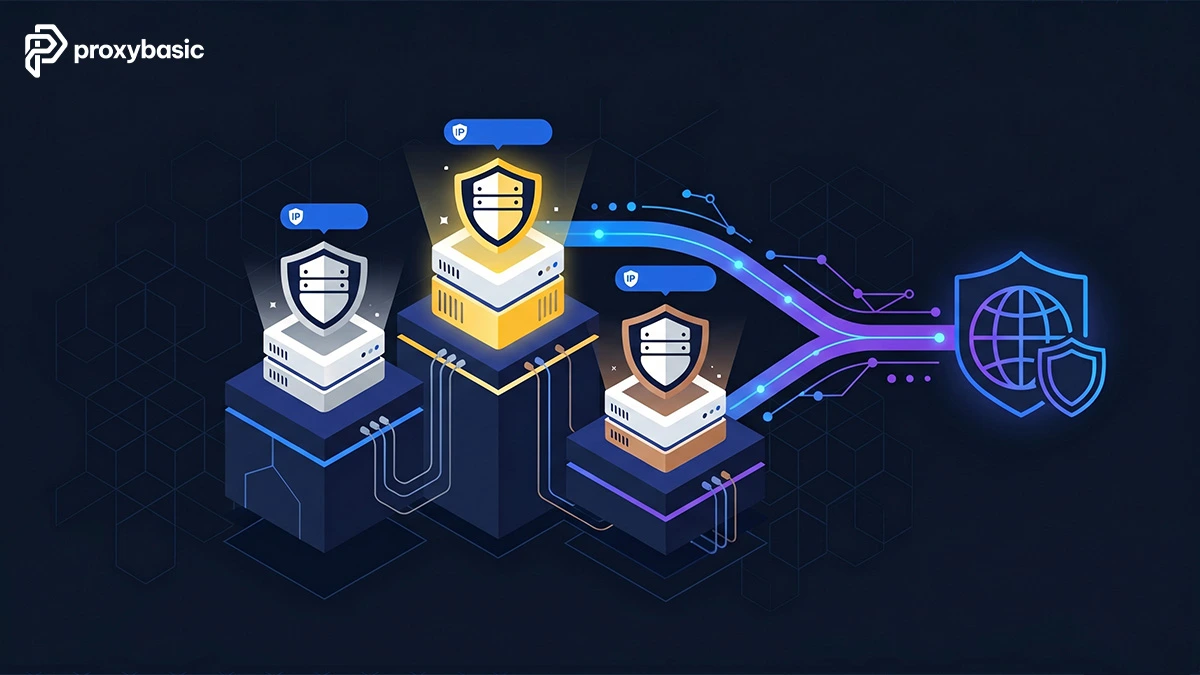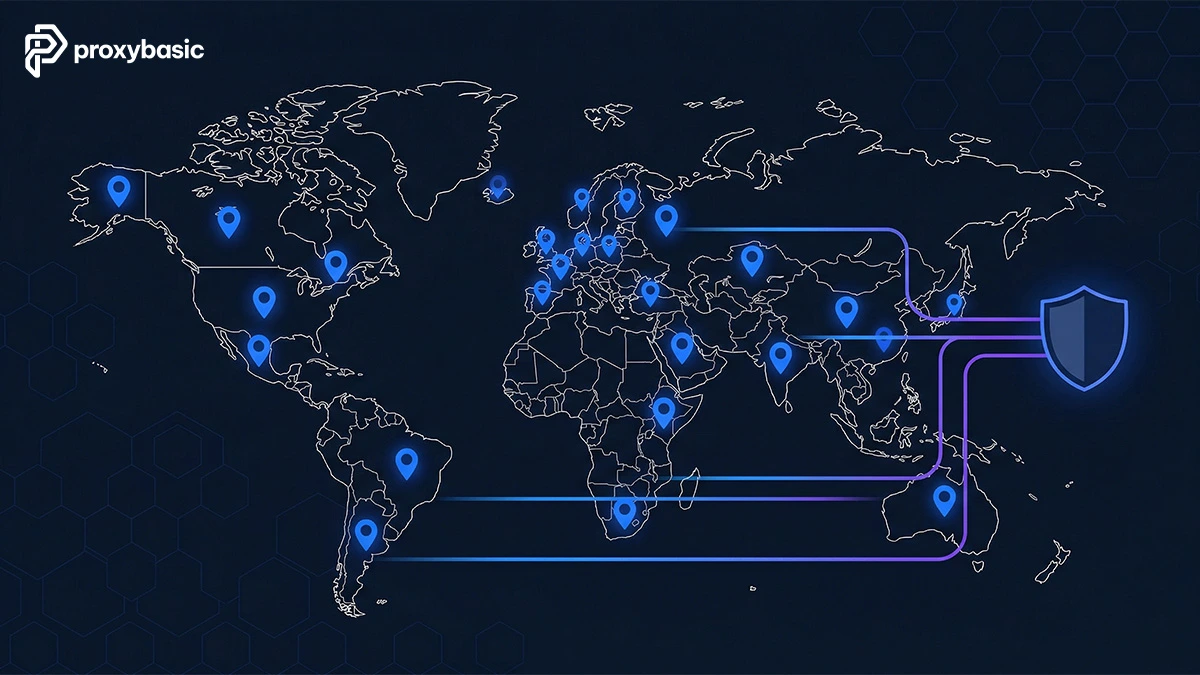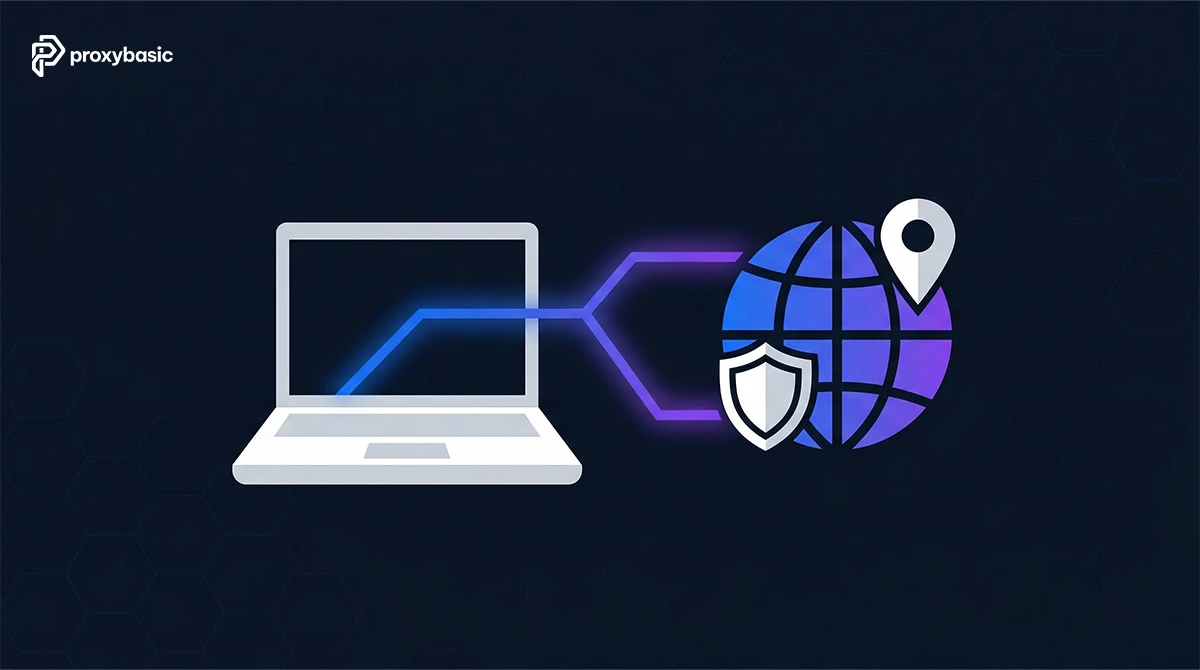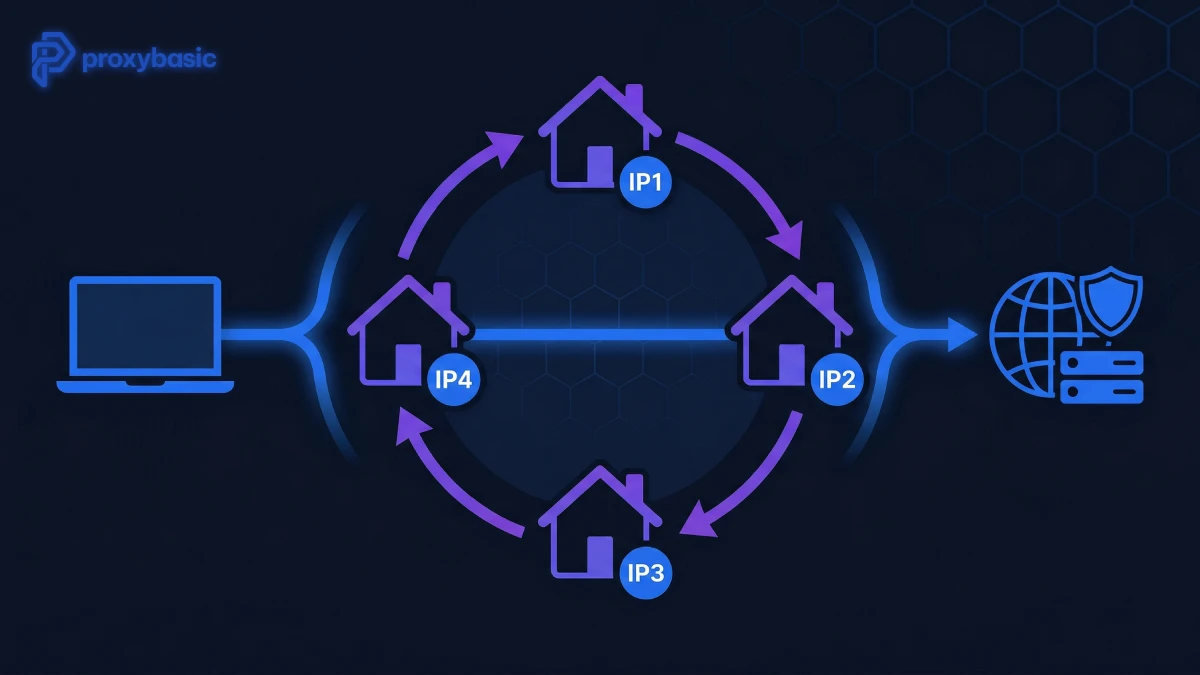
The 15 best SOCKS5 residential proxy in 2026 are Bright Data, Oxylabs, Webshare, 9Proxy, Decodo, DataImpulse, IPRoyal, Rayobyte, NodeMaven, LunaProxy, Proxy-Cheap, IPBurger, Zyte, HydraProxy, and ProxyEmpire, ranked by speed, price per GB, and anonymity level. These proxies route traffic through real ISP-assigned IPs using the SOCKS5 protocol, which handles TCP, UDP, P2P, VoIP, and automation tools – making them harder to detect than datacenter IPs and more flexible than HTTP proxies.
Picking the wrong provider means hitting port blocks, UDP errors, or paying $15/GB when better options start at $2.40/GB. Port access and KYC requirements vary widely across providers, so knowing the limits before you buy saves time and money.
SOCKS5 Residential Proxy: Definition and How It Works
A SOCKS5 residential proxy is a proxy server that routes network traffic through real ISP-assigned home IP addresses using the SOCKS5 protocol, which supports both TCP and UDP connections with multiple authentication methods.
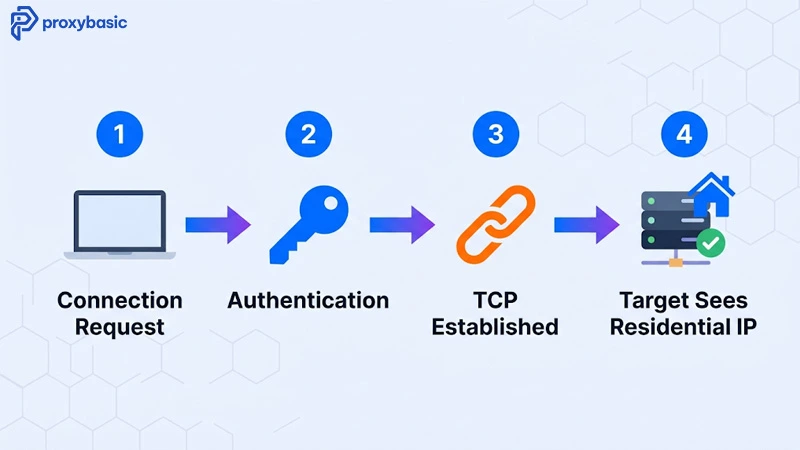
Here is how a SOCKS5 residential proxy works step by step:
- Connection request: Your application sends a SOCKS5 request to the proxy server, specifying the destination IP and port.
- Authentication: The proxy server verifies your credentials (username and password).
- Connection establishment: After authentication passes, the proxy establishes a TCP connection to the target server on your behalf.
- Data exchange: Traffic flows between your application and the target server through the proxy. The target server sees the residential IP address, not yours.
The key difference from HTTP proxies is protocol depth. SOCKS5 operates at the transport layer and passes all traffic types without modifying the data. HTTP proxies only handle web requests and can alter headers. This makes SOCKS5 residential proxies a stronger choice for scraping, gaming, P2P, and multi-account automation where non-HTTP traffic or data integrity matters.
Top 15 Best SOCKS5 Residential Proxy Providers: Full Comparison
The 15 best SOCKS5 residential proxy providers differ across pool size, price per GB, protocol support scope, port restrictions, and free trial availability. Based on benchmark testing across all 15 providers in Q1 2026, the gaps in UDP support and port access are the most common reasons buyers switch providers after purchase.
The table below covers pricing and trial options across all 15 residential SOCKS5 proxy providers. Use it to shortlist 2 to 3 candidates before testing on your actual target.
| Provider | SOCKS5 IP Source | Price | Free Trial |
| Bright Data | Residential, Datacenter, ISP, Mobile | $4.00/GB | 7 days |
| Oxylabs | Dedicated Datacenter, ISP | $45/13GB | 7 days |
| Webshare | Datacenter, Residential, ISP | $55/10GB | 10 free DC IPs |
| 9Proxy | Residential Proxies, Mobile | $3/5GB | Available |
| Decodo | Datacenter, Residential, ISP, Mobile | $6.00/2GB | 3 days |
| DataImpulse | Datacenter, Residential, Mobile | $50/50GB | 5GB for $5 |
| IPRoyal | Residential, Datacenter, ISP, Mobile | $3.50/GB | None |
| Rayobyte | Dedicated Datacenter, ISP | $3.50/GB | 50MB free |
| NodeMaven | Residential, Mobile 4G/5G | Contact | Available |
| LunaProxy | Residential | $2.40/GB | Available |
| Proxy-Cheap | Residential | Competitive | Available |
| IPBurger | Dedicated Residential | Contact | Available |
| Zyte | Residential | Per request | Available |
| HydraProxy | Residential, Mobile | Contact | Available |
| ProxyEmpire | Residential (Rotating) | Contact | Available |
Bright Data
Bright Data supports SOCKS5 residential proxies across all proxy networks. Residential proxies support SOCKS5 for HTTPS targets only. Datacenter and ISP proxies support SOCKS5 for ports above 1024. Mobile proxies support specific ports: 8080, 8443, 5678, 1962, 2000, 4443, 4433, 4430, 4444, and 1969.
Key specs:
- SOCKS5 format:
socks5h://[proxy_server]:[port]with proxy-user credentials - Domain names only, not IP addresses
- Price: $4.00/GB residential
- Free trial: 7 days + up to $500 deposit match for new users
Oxylabs
Oxylabs supports SOCKS5 on ISP and dedicated datacenter proxies at no extra charge. Ports 80 and 443 are open by default. All other ports require a KYC procedure and approval from Oxylabs before access.
Key specs:
- SOCKS5 format:
socks5h://username:[email protected]:8000 - Supports HTTP, HTTPS, and UDP traffic
- Price: $45/13GB
- Free trial: 7 days
- Discount: 30% off first purchase with code PRXY30
Webshare
Webshare supports SOCKS5 across all three connection types: direct (static IPs), rotating (automatic rotation), and backbone (stable with dynamic IP changes). SOCKS5 and HTTP use the same port with no extra configuration.
Key specs:
- SOCKS5 and HTTP on the same port
- Proxies can rotate automatically or manually
- Port restrictions: 25, 110, 465, 587 blocked to prevent email spam
- Price: $55/10GB
- Free plan: 10 datacenter proxies free
9Proxy
9Proxy supports SOCKS5 residential proxies across both rotating residential and mobile proxy pools. The service focuses on unlimited-bandwidth IP plans alongside traditional GB-based rotating proxies, making it a flexible option for scraping, automation, gaming, and multi-account management. SOCKS5 support works with TCP connections and integrates easily with browsers, automation tools, and anti-detect environments.
Key specs:
- SOCKS5 + HTTP(S) support
- Residential + mobile proxy pools
- Sticky and rotating sessions available
- Unlimited bandwidth IP-based plans available
- Authentication via username/password or IP whitelist
- Global geo-targeting across 90+ to 195+ locations depending on plan
- Good fit for automation, scraping, account farming, and anti-detect browsers
- Price: from $3/5GB
- Free trial: Available
Decodo
Decodo supports SOCKS5 with all proxy plans. ISP and datacenter proxies use the same endpoint for both SOCKS5 and HTTP. Residential and mobile proxies require a backconnect proxy setup for SOCKS5. No extra charges apply.
Key specs:
- Default ports: 80, 443 for residential and mobile
- Additional ports for ISP and datacenter: 563, 8443, 43
- Sticky sessions up to 30 minutes
- Price: $6.00/2GB
- Free trial: 3 days
- Discount: code BF2025
DataImpulse
DataImpulse offers rotating SOCKS5 residential proxies with IP rotation per request or sticky sessions up to 120 minutes. ZIP-code level targeting is available, making it one of the most granular geo-targeting options on this list. UDP traffic is supported but must be manually activated by contacting support.
Key specs:
- ZIP-code level geo-targeting
- UDP opt-in via support contact
- Rotation: per request or persistent up to 120 minutes
- Price: $50/50GB ($1/GB, lowest on this list)
- Trial: 5GB for $5
IPRoyal
IPRoyal supports SOCKS5 across all proxy types, but connections are limited to HTTP and HTTPS websites only. Some domains (such as login.yahoo.com and linkedin.com) are restricted by default on residential proxies. These restrictions can be removed by verifying your identity in the dashboard.
Key specs:
- HTTP and HTTPS targets only via SOCKS5
- Domain restrictions removable via identity verification
- Price: $3.50/GB
- No free trial
- PAYG available
Rayobyte
Rayobyte offers private SOCKS5 proxies, semi-dedicated proxies, and ISP proxies. Authentication uses username/password. Inbound UDP traffic is not supported. Outbound traffic for HTTP and HTTPS works normally through SOCKS5.
Key specs:
- No inbound UDP support
- Username/password authentication
- Pool: 300K+ IPs, speeds up to 1 Gb/s
- Price: $3.50/GB
- Free trial: 50MB
NodeMaven
NodeMaven is a strong pick for automation, multi-account management, and sneaker copping. It supports SOCKS5, HTTP, and HTTPS protocols with intelligent routing that keeps latency low during high-demand periods. Mobile 4G/5G proxies are available, giving carrier-grade IPs for platforms with strict device fingerprint checks.
Key specs:
- SOCKS5 + HTTP + HTTPS on same connection
- Mobile 4G/5G proxy integration
- Stable uptime with intelligent routing
- Use cases: automation, multi-accounting, sneaker copping
LunaProxy
LunaProxy has one of the largest residential SOCKS5 proxy pools on this list at 200M+ IPs, with a starting price of $2.40/GB, the lowest per-GB rate among providers with a pool this size.
Key specs:
- Pool: 200M+ residential IPs
- Price: from $2.40/GB
- Use cases: high-volume scraping, automation, large-scale multi-accounting
Proxy-Cheap
Proxy-Cheap targets budget-focused users with competitive pricing on residential SOCKS5 proxies without major performance trade-offs. It supports both SOCKS5 and HTTP connections across millions of IPs.
Key specs:
- SOCKS5 + HTTP support
- Millions of residential IPs
- Competitive per-GB pricing
- Good fit for cost-sensitive projects
IPBurger
IPBurger focuses on security and anonymity with dedicated SOCKS5 residential proxies. Dedicated IPs mean the proxy is not shared with other users, which lowers the chance of hitting a flagged IP.
Key specs:
- Dedicated residential proxies (not shared)
- Full SOCKS5 support
- High anonymity focus
- Good fit for projects where IP cleanliness is a priority
Zyte
Zyte (formerly Crawlera) specializes in web scraping with high success rates and stable SOCKS5 residential proxy connections. Per-request pricing makes costs predictable on JS-heavy scraping targets. Native Scrapy integration reduces setup time for Python developers.
Key specs:
- Per-request pricing
- High success rates on protected targets
- Native Scrapy framework integration
- JS rendering via Splash
HydraProxy
HydraProxy offers both residential and mobile proxies with SOCKS5 support and strong geo-targeting options. The combination of mobile and desktop residential IPs makes it a flexible pick for projects that need both IP types.
Key specs:
- Residential + mobile proxy pools
- SOCKS5 support on both types
- Strong geo-targeting options
- Good fit for projects needing mixed IP types
ProxyEmpire
ProxyEmpire provides rotating SOCKS5 residential proxies with advanced filtering, letting users set detailed rotation rules for constantly changing IPs. This level of rotation control suits projects where IP pattern detection is a concern.
Key specs:
- Rotating residential SOCKS5 proxies
- Advanced IP filtering and rotation rules
- Constantly changing IPs
- Good fit for high-frequency scraping with strict anonymity needs
4 Types of SOCKS5 Residential Proxy (Residential, ISP, Datacenter, Mobile)
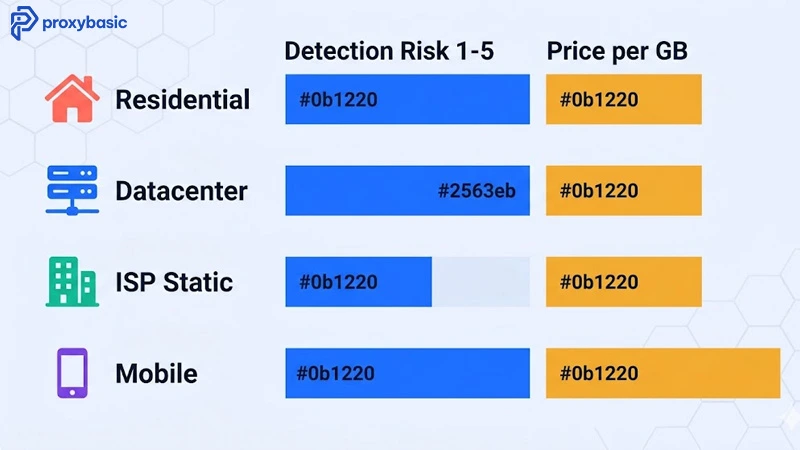
There are 4 main types of SOCKS5 residential proxies, grouped by IP source: residential, datacenter, ISP (static residential), and mobile.
The table below maps each proxy type to its detection risk, speed, and price range. Picking the right type before comparing providers saves money and avoids buying a plan that does not fit your use case.
| Type | IP Source | Detection Risk | Speed | Price Range |
| Residential SOCKS5 | Real home devices via ISP | Low | Moderate | $2.40–$8/GB |
| Datacenter SOCKS5 | Cloud/data centers | Medium-High | Fast | $0.40–$3.50/GB |
| ISP (Static Residential) | ISP-assigned, fixed IP | Low | Fast | $2–$6/GB |
| Mobile SOCKS5 (4G/5G) | Mobile carriers | Very Low | Variable | $5–$15/GB |
Rotating residential SOCKS5 proxies use real home devices and change IPs per request or session. They are harder to detect but slower than datacenter options. ISP proxies combine ISP-assigned IPs with data center hosting, giving you the trust level of a residential IP at datacenter speed. Mobile SOCKS5 proxies use carrier-grade IPs that are nearly impossible to flag, but cost more and depend on mobile data connection quality.
SOCKS5 vs HTTP Proxies: Key Differences for Scraping and Automation
SOCKS5 residential proxy outperform HTTP proxies for most scraping and automation tasks across three areas: they support all traffic types, they do not modify your data, and they handle both TCP and UDP connections.
Specific advantages over HTTP proxies:
- Better security: SOCKS5 does not inspect or modify your data packets. HTTP proxies can alter headers and expose proxy usage to target servers.
- Faster speeds: SOCKS5 operates at the transport layer with less overhead than HTTP proxies, which process each request at the application layer.
- More compatibility: SOCKS5 handles VoIP, streaming, P2P, gaming, and automation traffic. HTTP proxies only work for web requests.
- Remote DNS resolution: SOCKS5 resolves domain names on the proxy server side, which prevents DNS leaks and supports bypassing regional blocks.
HTTP proxies remain a valid choice for simple web scraping where you only need HTTP/HTTPS traffic and want lower cost per connection. For anything involving non-web protocols, multi-account tools, or applications that need UDP support, residential SOCKS5 proxies are the stronger option.
How to Set Up a SOCKS5 Residential Proxy in Python, Firefox, and Chrome
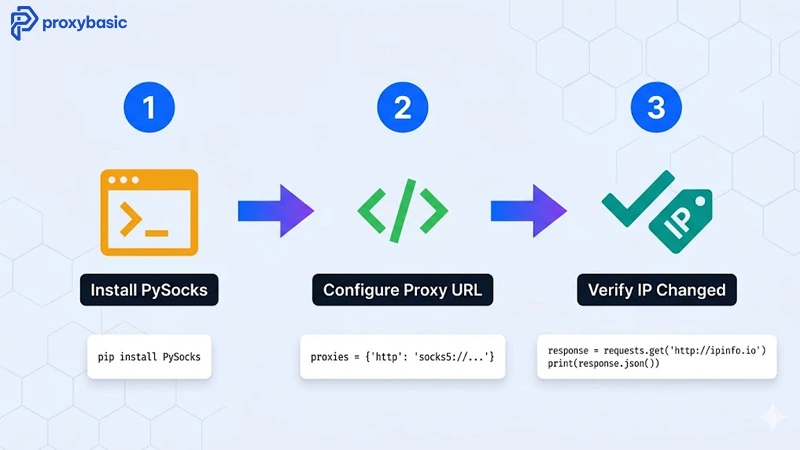
Setting up a SOCKS5 residential proxy takes 3 steps: install any required dependencies, configure the proxy in your tool or application, and test the connection to confirm your IP has changed.
Below are setup examples for Python, Firefox, and Chrome.
Python (requests + PySocks)
pip install pysocks
import requests

proxies = {
    "http": "socks5://username:password@proxy_host:proxy_port",
    "https": "socks5://username:password@proxy_host:proxy_port"
}

response = requests.get("https://httpbin.org/ip", proxies=proxies)
print(response.status_code)
Firefox (native SOCKS5 support)
- Go to Settings > Network Settings > Manual proxy configuration
- Enable SOCKS Host
- Enter your SOCKS5 proxy IP and port
- Select SOCKS v5
- Enable “Proxy DNS when using SOCKS v5” to prevent DNS leaks
- Save
Chrome (via OS-level settings on macOS)
Chrome does not have native SOCKS5 settings. Use FoxyProxy extension for profile-based configuration, or set SOCKS5 at the OS level:
- System Settings > Network
- Select your network > Proxies
- Enable SOCKS Proxy
- Enter your SOCKS5 host and port
- Save
To verify the connection is working, visit https://httpbin.org/ip or https://ipv4.webshare.io/ and confirm the IP shown matches your proxy provider’s pool, not your real IP.
5 Criteria to Pick the Right SOCKS5 Residential Proxy Provider
Choosing the right SOCKS5 residential proxy provider depends on 5 criteria: proxy type, SOCKS5 support scope, port restrictions, UDP support, and pricing model. Here is how to apply each criterion:
Determine your proxy type
SOCKS5 proxies come from different IP sources. Residential gives the lowest detection risk. Datacenter is faster and cheaper. ISP proxies combine speed with residential-level trust. Mobile (4G/5G) is hardest to detect but most expensive. Match the type to your target site’s anti-bot strength.
Check SOCKS5 support scope
Not all providers support SOCKS5 across all proxy types. Bright Data supports SOCKS5 on residential (HTTPS only), datacenter, ISP, and mobile. Oxylabs limits SOCKS5 to ISP and dedicated datacenter. Check the specific proxy type you need before buying.
Review port restrictions
Most providers block certain ports by default. Webshare blocks 25, 110, 465, 587 (email ports). Decodo limits residential and mobile to ports 80 and 443 by default. Oxylabs requires KYC to open ports beyond 80 and 443. If your project needs non-standard ports, confirm availability before committing.
Check UDP support
SOCKS5 supports UDP, but many providers block or limit it. Bright Data and IPRoyal return UDP errors. Rayobyte does not support inbound UDP. DataImpulse supports UDP but requires manual activation via support. If your project needs UDP (gaming, VoIP, P2P), DataImpulse is the most straightforward option.
Compare pricing models
Two main structures exist:
- Per-GB: DataImpulse ($1/GB), LunaProxy ($2.40/GB), IPRoyal ($3.50/GB). Good for predictable high-volume text scraping.
- Per-request: Zyte. Good for JS-heavy targets where bandwidth per page is unpredictable.
For budget projects, DataImpulse at $1/GB or LunaProxy at $2.40/GB offer the best value. For projects needing maximum pool size at competitive pricing, Bright Data or Oxylabs are the stronger picks despite higher minimum costs.
Conclusion: Which SOCKS5 Residential Proxy Should You Use?
SOCKS5 residential proxies give you real ISP-assigned IPs with the protocol flexibility to handle any traffic type, from web scraping to gaming to multi-account automation. The 15 providers on this list cover every budget and use case, from 9Proxy at $0.68/GB for high-volume text scraping to Bright Data for enterprise-scale operations needing the largest pool and most rotation control.
Quick picks by use case:
- Best overall value: 9Proxy ($0.68/GB, ZIP-code targeting, UDP opt-in)
- Best large pool: LunaProxy (200M+ IPs, $2.40/GB)
- Best for enterprise: Bright Data (72M+ IPs, full proxy manager, $500 deposit match)
- Best for Scrapy users: Zyte (per-request pricing, native Scrapy integration)
- Best free starting point: Webshare (10 free datacenter proxies)
- Best for mobile fingerprinting: NodeMaven (4G/5G mobile + SOCKS5)
- Best dedicated SOCKS5 residential proxy: IPBurger (dedicated IPs, not shared)
Start with a free trial or free tier before committing. Test your specific target, check which ports you need, and confirm UDP support if your project requires it. For more proxy guides, provider comparisons, and web scraping resources, visit ProxyBasic.