A Playwright proxy helps developers route browser traffic through alternative IP addresses, making automation workflows more reliable across different locations and network environments. Whether you are testing localized experiences, collecting public data, or validating advertisements, the right proxy architecture improves consistency and scalability.
This setup guide explains how to configure a proxy with Playwright, configure authentication securely, verify connections, and prepare for residential and rotating proxy deployments. We also cover practical implementation patterns that developers can apply immediately in production environments.
Understanding Playwright Proxy Infrastructure
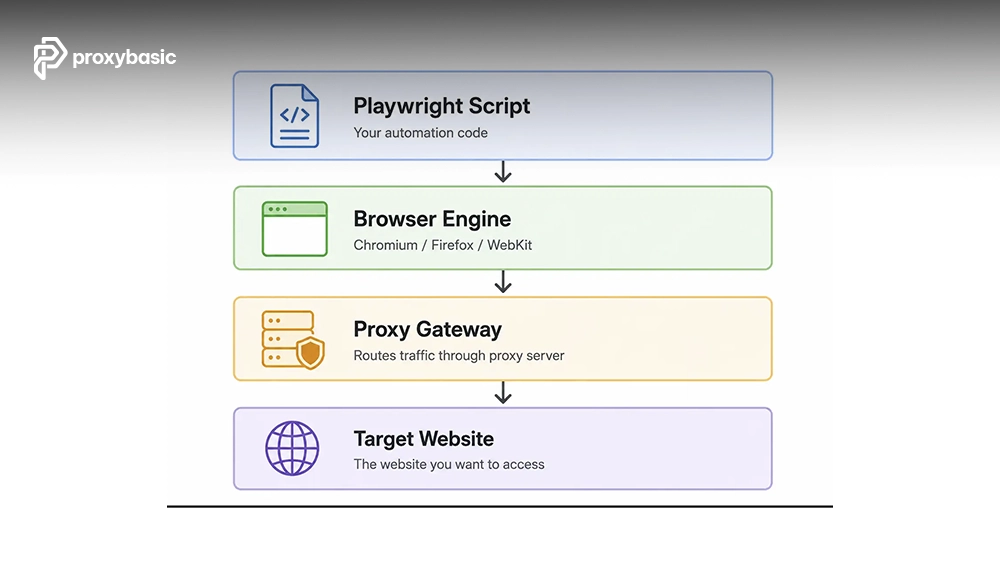
Playwright supports proxy routing at the browser level, allowing automated traffic to pass through a proxy gateway before reaching a destination website. This architecture gives developers control over network routing while maintaining the flexibility of modern browser automation.
A common deployment pattern looks like this:
Playwright Script
↓
Browser Engine
↓
Proxy Gateway
↓
Target Website
When discussing broader automation architecture and Setup & Integration planning, it is important to understand that proxy configuration becomes part of the browser launch process rather than an individual request configuration.
There are two common implementation approaches:
- Browser Launch Proxy: Applies one proxy configuration to the entire browser instance.
- Browser Context Proxy: Uses isolated proxy configurations for separate automation sessions.
- Centralized Gateway Proxy: Routes multiple sessions through a managed endpoint.
- Rotating Proxy Infrastructure: Changes IP assignments automatically or programmatically.
Legitimate use cases include:
- Localized UI and functionality testing
- Advertisement verification across regions
- Public website monitoring
- Search result validation
- Large-scale public data aggregation
- Regional content quality assurance
Residential vs. Datacenter Proxies for Automation
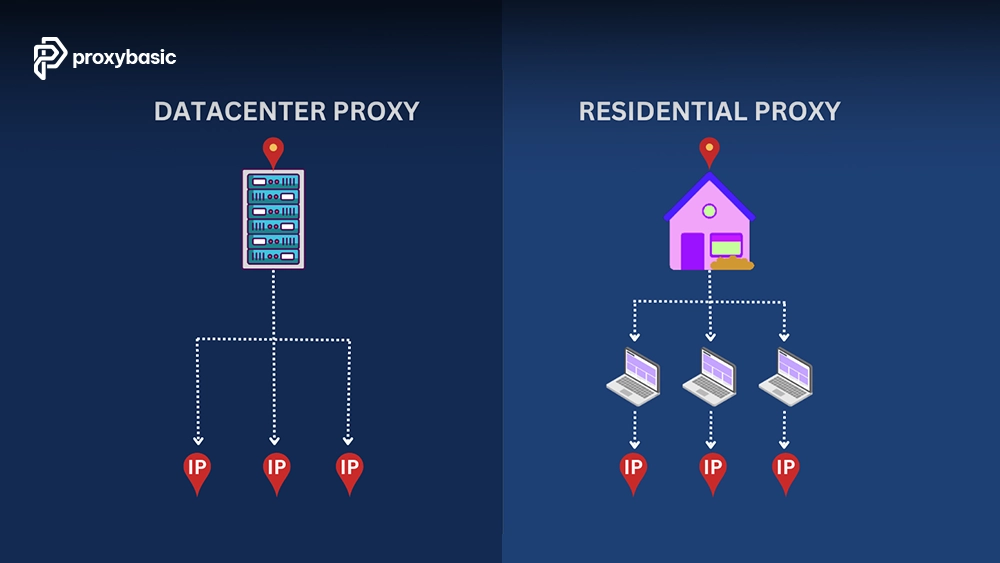
A Playwright residential proxy uses IP addresses assigned by internet service providers to residential users. Since these addresses originate from real household networks, they typically have stronger trust signals than datacenter-hosted IP ranges.
|
Factor |
Datacenter Proxy |
Residential Proxy |
|
IP Reputation |
Moderate |
High |
|
Cost |
Lower |
Higher |
|
Detection Risk |
Higher |
Lower |
|
Location Granularity |
Country-level in many cases |
Country, city, and ISP-level options |
|
Scalability |
Excellent |
Good |
|
Network Authenticity |
Synthetic infrastructure |
ISP-assigned addresses |
Residential networks generally provide stronger location realism, while datacenter proxies often deliver lower costs and faster throughput.
Consider residential proxies when:
- Scraping large e-commerce catalogs
- Monitoring regional product listings
- Accessing location-sensitive content
- Working with websites that evaluate IP reputation heavily
- Running long-term automation projects requiring stable identity signals
Prerequisites & Basic Proxy Configuration
Before you set up a proxy with Playwright, make sure the environment is ready.
Requirements:
- Node.js installed
- Playwright installed
- Initialized project directory
- Proxy host address
- Proxy port
- Authentication credentials, if required
- Internet connectivity for verification tests
Install Playwright:
npm install playwright
Launch Chromium with a basic proxy:
const { chromium } = require(‘playwright’);
(async () => {
const browser = await chromium.launch({
proxy: {
server: ‘http://proxy.example.com:8000’
}
});
const page = await browser.newPage();
await page.goto(‘https://api.ipify.org?format=json’);
console.log(await page.textContent(‘body’));
await browser.close();
})();
To verify the connection, we navigate to:
https://api.ipify.org?format=json
If the returned IP matches the proxy endpoint rather than your local IP address, the configuration is working correctly.
Quick verification checklist:
- Proxy host resolves correctly
- Port is open
- Returned IP differs from local IP
- Browser launches successfully
- Target websites load without network errors
Managing Proxy Authentication Securely
Many commercial proxy providers require authentication before allowing traffic through their network. Playwright supports credential injection directly within the proxy configuration object.
Example implementation:
const { chromium } = require(‘playwright’);
(async () => {
const browser = await chromium.launch({
proxy: {
server: ‘http://proxy.example.com:8000’,
username: ‘proxyuser’,
password: ‘proxypassword’
}
});
const page = await browser.newPage();
await page.goto(‘https://example.com’);
await browser.close();
})();
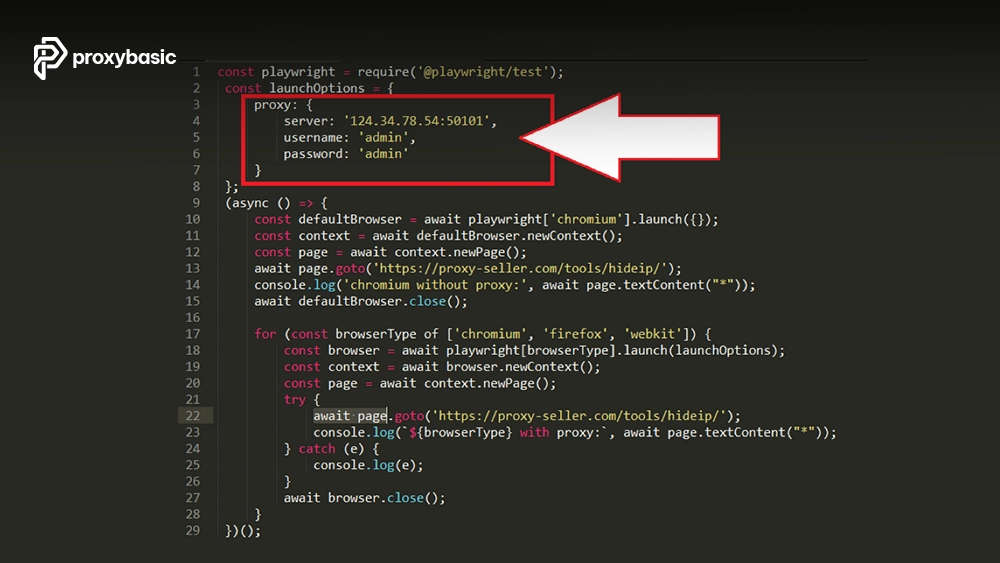
One of the most common authentication failures is the 407 proxy authentication required response. This usually indicates invalid credentials, formatting mistakes, expired accounts, or incorrect authentication methods configured by the provider.
Avoid hardcoding credentials in production environments. Environment variables provide a safer approach.
const { chromium } = require(‘playwright’);
(async () => {
const browser = await chromium.launch({
proxy: {
server: process.env.PROXY_SERVER,
username: process.env.PROXY_USER,
password: process.env.PROXY_PASSWORD
}
});
const page = await browser.newPage();
await page.goto(‘https://example.com’);
await browser.close();
})();
Recommended security practices:
- Store credentials in environment variables
- Restrict credential access through role-based permissions
- Rotate secrets periodically
- Use encrypted secret management systems
- Audit proxy usage regularly
- Avoid exposing credentials in repositories
Implementing Playwright Rotating Proxies
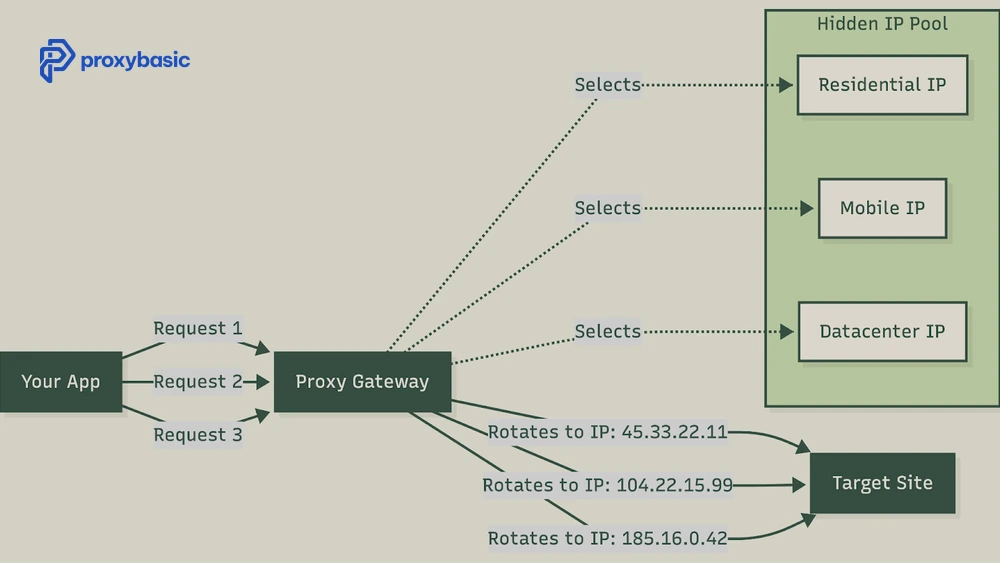
A Playwright rotating proxy helps distribute requests across multiple IP addresses instead of sending all traffic through a single endpoint. This approach improves scalability and reduces the chance of traffic concentration on one IP.
Rotation can be managed by the provider automatically or implemented directly within your application logic, depending on the proxy service you use.
Provider-Side Rotation (The Easy Way)
Many residential proxy providers offer backconnect gateways. Instead of managing individual IPs, you connect to a single endpoint while the provider rotates addresses behind the scenes.
This is the simplest way to deploy a Playwright residential proxy at scale because the provider handles IP assignment, session management, and infrastructure maintenance.
const { chromium } = require(‘playwright’);
(async () => {
const browser = await chromium.launch({
proxy: {
server: ‘http://gateway.provider.com:8000’,
username: ‘username’,
password: ‘password’
}
});
const page = await browser.newPage();
await page.goto(‘https://api.ipify.org?format=json’);
console.log(await page.textContent(‘body’));
await browser.close();
})();
The main advantages include:
- Single proxy endpoint
- Simplified deployment
- No proxy pool management
- Automatic IP rotation
- Easier scaling across large workloads
Client-Side Programmatic Rotation
Some teams prefer direct control over proxy allocation. In this model, the application maintains a list of available proxy endpoints and selects one when creating a new automation session.
This method offers flexibility and works well when integrating a dedicated proxy manager into a larger scraping or automation platform.
const { chromium } = require(‘playwright’);
const proxies = [
‘http://proxy1.example.com:8000’,
‘http://proxy2.example.com:8000’,
‘http://proxy3.example.com:8000’
];
function getRandomProxy() {
return proxies[Math.floor(Math.random() * proxies.length)];
}
(async () => {
const browser = await chromium.launch();
const context = await browser.newContext({
proxy: {
server: getRandomProxy()
}
});
const page = await context.newPage();
await page.goto(‘https://api.ipify.org?format=json’);
console.log(await page.textContent(‘body’));
await browser.close();
})();
Common Session Strategies: Sticky vs. Rotating
The table below compares two common session strategies used in rotating proxy environments.
|
Session Type |
Typical Use Case |
|
Sticky Session |
Multi-step workflows, account management, shopping carts, login persistence |
|
Rotating Session |
Large-scale crawling, monitoring, public data collection, request distribution |
Sticky sessions maintain the same IP for a defined period, while rotating sessions assign new IPs more frequently for broader distribution.
Troubleshooting & Error Handling
Even a properly configured proxy with Playwright can encounter occasional failures. Most production issues fall into a small number of categories, making troubleshooting relatively straightforward once the root cause is identified.
|
Error |
Common Cause |
Recommended Fix |
|
407 Proxy Authentication Required |
Invalid credentials, formatting mistakes, expired account |
Verify username, password, and provider documentation |
|
Target Closed |
Browser crash, unexpected process termination |
Review browser logs and resource usage |
|
ERR_TIMED_OUT |
Network congestion, unavailable endpoint |
Test alternate nodes and increase timeout settings |
|
Connection Refused |
Incorrect port, firewall restrictions |
Verify endpoint details and firewall rules |
|
DNS Resolution Failure |
Hostname cannot be resolved |
Confirm DNS settings and provider hostname |
|
Proxy Node Offline |
Dead or unavailable proxy server |
Switch to a backup endpoint |
Most failures can be minimized by maintaining a backup proxy pool and implementing automated retry logic.
Example failover implementation:
const proxies = [
‘http://proxy1.example.com:8000’,
‘http://proxy2.example.com:8000’
];
async function launchWithProxy(proxyServer) {
const { chromium } = require(‘playwright’);
return chromium.launch({
proxy: {
server: proxyServer
}
});
}
(async () => {
try {
const browser = await launchWithProxy(proxies[0]);
console.log(‘Primary proxy connected’);
await browser.close();
} catch (error) {
console.log(‘Primary proxy failed’);
const backupBrowser = await launchWithProxy(proxies[1]);
console.log(‘Backup proxy connected’);
await backupBrowser.close();
}
})();
For teams comparing residential networks, rotating services, and managed solutions, our guide to Top Providers can help evaluate infrastructure quality, location coverage, and operational flexibility before deployment.
FAQs
Does Playwright support SOCKS5 proxies?
Yes. Playwright supports several proxy protocols, including HTTP, HTTPS, and SOCKS5. Configuration is similar across protocols, with the primary difference being the proxy server address format supplied during browser launch.
Do residential proxies slow down Playwright scripts?
Residential proxies may introduce slightly higher latency than datacenter proxies because traffic passes through residential networks rather than optimized cloud infrastructure. The trade-off is often improved IP reputation and broader geographic coverage.
Can I change proxies per page/tab?
Not directly. Proxy configuration is typically applied at the browser or browser-context level. If different pages require separate proxy routes, creating isolated browser contexts or browser instances is generally the preferred approach.
Conclusion
A successful Playwright proxy deployment depends on matching the proxy architecture to the automation workload. Basic proxies work well for simple testing, rotating infrastructures support larger-scale operations, and residential networks provide stronger location authenticity for demanding environments.
We recommend validating connectivity, securing authentication credentials, implementing failover logic, and selecting a proxy strategy that aligns with your project’s requirements. By combining Playwright with reliable proxy infrastructure, you can build automation systems that remain scalable, stable, and easier to maintain.
For Playwright automation to hold up over time, the proxy layer matters most a quality residential proxy is what keeps sessions stable and undetected.