

If you’re working with a Python residential proxy, understanding proper configuration is essential for reliable scraping, testing, and automation. In this guide, we explain how to connect residential IPs to Python applications, manage sessions, rotate IPs, handle errors, and follow production-ready practices. Whether you’re building a simple script or a large-scale data collection system, these techniques help create a more stable and maintainable workflow. For developers building scalable applications, understanding proper Set Up procedures helps prevent many common deployment issues.
What Is a Python Residential Proxy?
A Python residential proxy is a proxy service that routes requests through IP addresses assigned by real internet service providers (ISPs) to residential devices. Instead of sending traffic directly from your machine, your Python script communicates through a residential IP, making requests appear similar to regular consumer internet activity.

Residential proxies differ from datacenter proxies because their IP addresses originate from real consumer networks rather than cloud infrastructure. They also differ from ISP proxies, which combine datacenter hosting with ISP-assigned addresses. Understanding Infrastructure & IP details ensures your Python scripts route requests reliably and maintain a trusted footprint.
One reason developers choose residential proxies is their stronger trust profile. Since the IPs originate from actual residential networks, websites often recognize them as standard user traffic rather than automated server traffic.
|
Feature |
Residential Proxy |
Datacenter Proxy |
ISP Proxy |
|
IP Source |
Residential ISP subscribers |
Cloud or server providers |
ISP-assigned datacenter IPs |
|
Trust Level |
High |
Moderate |
High |
|
Network Speed |
Moderate to High |
Very High |
High |
|
Cost |
Higher |
Lower |
Moderate to High |
|
Primary Use Cases |
Scraping, testing, market research |
High-volume automation |
Account management, stable sessions |
Residential proxies generally provide the best balance between authenticity and flexibility, while datacenter proxies focus more on speed and cost efficiency.
How the Proxy Gateway Flow Works
Most developers never connect directly to individual residential devices. Instead, they connect to a proxy gateway provided by their proxy vendor.
The request path typically follows this sequence:
Python Script → Proxy Gateway → Assigned Residential IP → Target Website
Here’s how the process works:
- Your Python application sends a request to a proxy gateway.
- The gateway authenticates your account.
- The provider assigns a residential IP from its network.
- The request is forwarded to the target website.
- The response travels back through the same path.
From a developer’s perspective, only a single endpoint usually needs to be configured. The provider handles IP assignment, routing, session persistence, and network management behind the scenes.
This architecture significantly simplifies proxy management because your code remains unchanged even when thousands of residential IPs are available in the backend pool.
Environment Prerequisites and Configuration
Before you use residential proxy in Python projects, prepare the following components:
- Python 3.x installed
- Requests library installed
- Proxy provider account
- Gateway hostname
- Port number
- Username
- Password
- Internet connection
- Testing endpoint such as httpbin.org
Most residential proxy providers supply all connection details from their dashboard after purchase.
Installing the Requests Library
Requests remains the most widely adopted HTTP library for synchronous Python applications due to its simple API and excellent proxy support.
pip install requests
After installation, import the library normally:
import requests
Deconstructing Proxy Credentials
Most providers use the following authentication structure:
http://username:password@host:port
Each component serves a specific purpose:
- username: Account identifier
- password: Authentication credential
- host: Proxy gateway address
- port: Connection endpoint
Many providers allow additional settings directly within the username string.
Examples include:
user-country-us
user-session-abc123
user-country-us-session-abc123
These modifiers often control country selection, sticky sessions, or routing behavior without requiring code changes.
After understanding the credential format, configuring a Python requests residential proxy becomes straightforward.
Configuring Proxies in Python Requests
The Requests library uses a dictionary object to define proxy settings.
A standard configuration looks like this:
import requests
proxy = “http://username:[email protected]:8000”
proxies = {
“http”: proxy,
“https”: proxy
}
response = requests.get(
“https://httpbin.org/ip”,
proxies=proxies,
timeout=30
)
print(response.text)
The same proxy endpoint handles both HTTP and HTTPS requests.
To verify that the connection works correctly, check whether the returned IP differs from your local network address.
Example verification:
import requests
response = requests.get(
“https://httpbin.org/ip”,
proxies=proxies
)
print(response.json())
If the output shows a residential IP assigned by your provider, the configuration is functioning correctly.
For larger projects, many developers store the proxy string in environment variables instead of hardcoding credentials directly in source code.
Managing Sticky Sessions vs. Rotating Gateways
A common point of confusion involves the difference between sticky sessions and rotating gateways. Both approaches use residential proxies, but they serve different purposes.
The table below illustrates a common comparison similar to discussions around static vs rotating proxy deployments.
|
Feature |
Sticky Session |
Rotating Gateway |
|
IP Persistence |
Same IP retained |
IP changes automatically |
|
Session Continuity |
High |
Low |
|
Best For |
Multi-step workflows |
Large-scale scraping |
|
Configuration |
Session ID |
Rotating endpoint |
|
Identity Consistency |
Strong |
Variable |
A sticky session keeps the same residential IP for a defined period. This approach is useful when a website expects consistency across multiple requests.
Examples include:
- Multi-page navigation
- Account dashboards
- Shopping workflows
- Testing authenticated sessions
Rotating gateways, on the other hand, assign a new residential IP periodically or on every request.
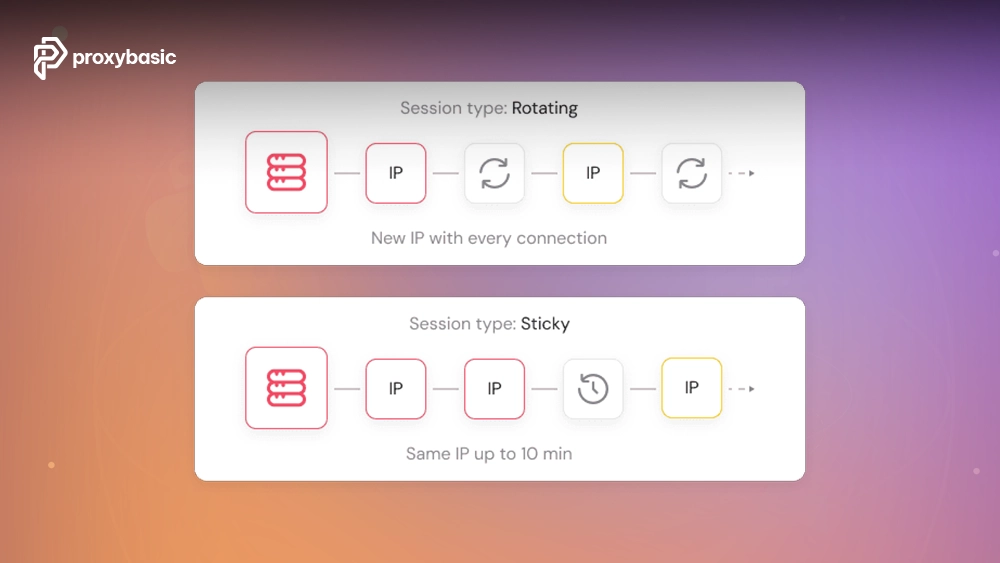
This model works well when collecting data from large numbers of pages where request distribution matters more than session continuity.
Implementing a Persistent Requests Session
The Requests library includes a Session object that maintains configuration across requests.
import requests
session = requests.Session()
proxy = “http://username:[email protected]:8000”
session.proxies.update({
“http”: proxy,
“https”: proxy
})
response = session.get(
“https://httpbin.org/ip”,
timeout=30
)
print(response.text)
Benefits of using Session include:
- Reduced TCP handshake overhead
- Shared cookies
- Centralized configuration
- Improved performance
When combined with provider-side sticky sessions, Requests Session objects help maintain a consistent identity across an entire workflow.
How to Implement Python Proxy Rotation
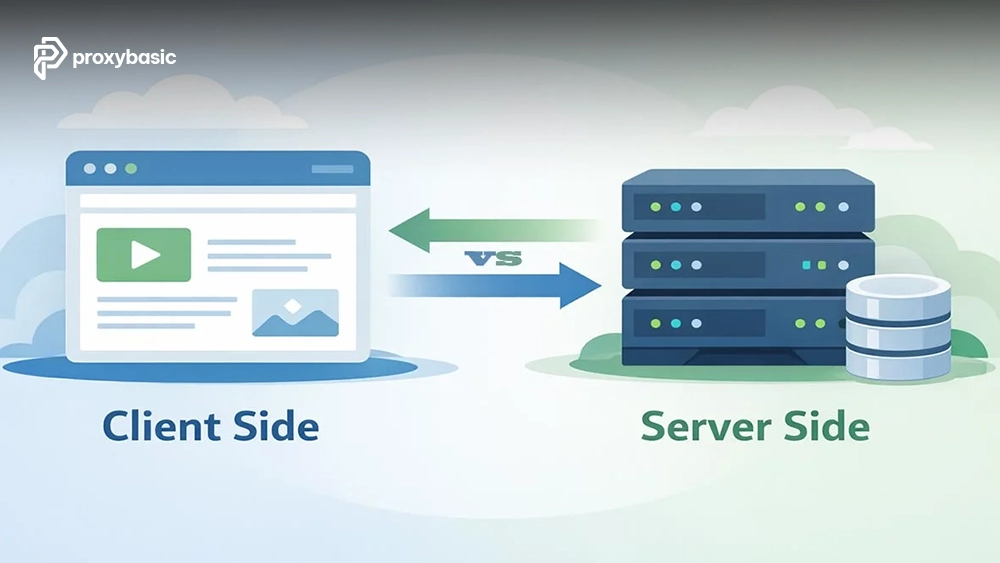
As projects grow, relying on a single IP becomes less practical. This is where proxy rotation in Python becomes important. Rotation distributes requests across multiple residential IPs, helping balance traffic and improve resilience. There are two primary approaches: provider-side rotation vs client-side rotation.
Provider-Side Rotation
Most residential proxy providers offer rotating gateways. Your code connects to a single endpoint, while the provider automatically assigns different residential IPs behind the scenes.
Advantages include:
- Simpler implementation
- Centralized management
- Large residential IP pools
- Minimal maintenance
Example:
import requests
proxy = “http://username:[email protected]:8000”
proxies = {
“http”: proxy,
“https”: proxy
}
response = requests.get(
“https://httpbin.org/ip”,
proxies=proxies
)
print(response.json())
Client-Side Rotation
In some situations, developers maintain a list of proxy endpoints and select one programmatically.
This approach provides greater control over routing logic and proxy selection.
Code Example: Client-Side Proxy Pool Rotation
The example below demonstrates a reusable rotation function.
import random
import requests
PROXIES = [
“http://user:[email protected]:8000”,
“http://user:[email protected]:8000”,
“http://user:[email protected]:8000”
]
def fetch_with_rotation(url):
proxy = random.choice(PROXIES)
proxies = {
“http”: proxy,
“https”: proxy
}
response = requests.get(
url,
proxies=proxies,
timeout=30
)
return response
response = fetch_with_rotation(
“https://httpbin.org/ip”
)
print(response.text)
Client-side rotation becomes useful when working with specialized routing policies, custom health checks, or multiple providers.
Building a Production-Grade Scraper Function
A basic request is sufficient for testing, but production systems require stronger reliability controls.
A robust Python scraper residential proxy workflow should include:
- Custom User-Agent headers
- Connection timeouts
- Retry logic
- Exponential backoff
- Exception handling
The example below combines these components into a reusable scraper function.
import requests
import time
PROXY = “http://user:[email protected]:8000”
HEADERS = {
“User-Agent”: (
“Mozilla/5.0 “
“(Windows NT 10.0; Win64; x64)”
)
}
def scrape_page(url, retries=3):
proxies = {
“http”: PROXY,
“https”: PROXY
}
for attempt in range(retries):
try:
response = requests.get(
url,
headers=HEADERS,
proxies=proxies,
timeout=20
)
response.raise_for_status()
return response.text
except requests.RequestException:
wait_time = 2 ** attempt
time.sleep(wait_time)
return None
This structure is easier to maintain than repeating request logic throughout an application.
If your project eventually grows beyond Requests, frameworks supporting Scrapy rotating proxies may provide additional scalability through middleware-based proxy management and concurrent crawling.
Debugging Common Residential Proxy Errors
Proxy-related issues are usually predictable once you understand the underlying causes.
|
Error |
Typical Cause |
Recommended Fix |
|
ProxyError |
Invalid credentials or authentication settings |
Verify username, password, and gateway details |
|
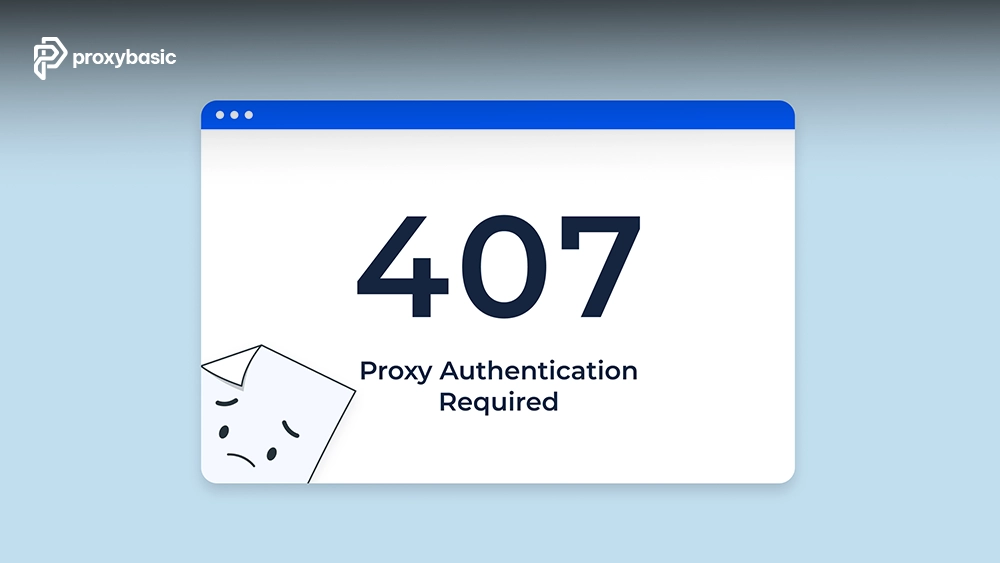
407 Proxy Authentication Required |
Authentication failure |
Confirm account permissions and credentials |
|
ConnectTimeout |
Slow network or unavailable node |
Increase timeout and retry |
|
SSLError |
Certificate validation issue |
Verify HTTPS configuration and certificates |
|
ConnectionRefusedError |
Incorrect port or endpoint |
Check gateway host and port settings |
Most connection failures originate from configuration mistakes rather than issues with the Python code itself.
Handling SSL Verification Errors Safely
During troubleshooting, developers sometimes encounter SSL verification errors.
You can temporarily disable verification while debugging:
response = requests.get(
url,
proxies=proxies,
verify=False
)
However, disabling certificate verification should only be used for diagnosis.
For production environments:
- Use valid certificates
- Keep Requests updated
- Verify proxy provider documentation
- Enable SSL verification whenever possible
Maintaining proper certificate validation improves both security and reliability.
Python Requests vs. Scrapy for Proxy Integration
Both Requests and Scrapy support residential proxies, but they serve different development needs.
|
Feature |
Requests |
Scrapy |
|
Ease of Setup |
Very Easy |
Moderate |
|
Learning Curve |
Low |
Higher |
|
Asynchronous Concurrency |
Limited |
Strong |
|
Middleware Support |
Minimal |
Built-in |
|
Large Crawling Projects |
Moderate |
Excellent |
|
Custom Workflow Control |
High |
High |
Requests is ideal for:
- APIs
- Automation scripts
- Small to medium scraping projects
- Rapid development
Scrapy is often a better choice for:
- Large-scale crawling
- Millions of URLs
- Advanced scheduling
- Distributed scraping systems
The decision depends more on project scale than on proxy compatibility.
Best Practices for Production Implementations
A well-configured Python residential proxy setup is only part of the equation. Long-term reliability also depends on architecture and operational discipline.
Secure Credential Storage
Never store credentials directly in source code repositories.
Instead, use environment variables:
import os
PROXY_USER = os.environ.get(“PROXY_USER”)
PROXY_PASS = os.environ.get(“PROXY_PASS”)
This approach improves security and simplifies deployment.
Connection Pooling
Use requests.Session() whenever possible.
Benefits include:
- Lower connection overhead
- Better resource utilization
- Faster request execution
- Cleaner code organization
Request Pacing
Even with high-quality residential proxies, responsible request pacing remains important.
Recommended practices include:
- Add short delays between requests
- Implement retries carefully
- Respect website resources
- Monitor response times
Monitor Proxy Health
Track key metrics such as:
- Success rate
- Average latency
- Error frequency
- Connection stability
Regular monitoring helps identify problematic endpoints before they affect production workloads.
Provider Evaluation
Before deploying at scale, compare multiple providers and evaluate:
- Residential IP pool size
- Geographic coverage
- Session controls
- Rotation options
- Support quality
A dedicated Top Providers comparison can help narrow down options based on your project’s technical requirements.
Conclusion
Learning how to use a residential proxy in Python starts with understanding proxy authentication and Requests configuration. From there, you can introduce sticky sessions, automated rotation, retry handling, and secure credential management to build more resilient applications.
Whether you choose provider-managed rotation or your own proxy pool logic, the goal remains the same: create maintainable, reliable networking workflows. Apply these techniques carefully, test your implementation thoroughly, and use a trusted provider that aligns with your project’s scale and operational needs.
A properly configured Python residential proxy can become a valuable component of your automation and data collection toolkit.
FAQs
How do residential proxies affect Python script latency?
Residential proxies generally introduce additional network hops compared to direct connections. Actual latency depends on geographic distance, routing quality, provider infrastructure, and the assigned residential node. Using Sessions and selecting nearby locations can help improve performance.
Why does my residential proxy return an SSL Verification Error in Python?
SSL verification errors often occur when certificate validation fails during HTTPS communication. Common causes include outdated certificates, local trust-store issues, or proxy configurations that interfere with encrypted traffic. Review provider documentation and verify certificates before disabling SSL checks.
Can I append geo-targeting parameters directly to my Python code?
Yes. Many residential proxy providers allow country, city, or session settings through the username field. A common example is:
user-country-us
The exact syntax varies by provider, so always consult the provider’s documentation before implementing geo-targeting parameters in production.