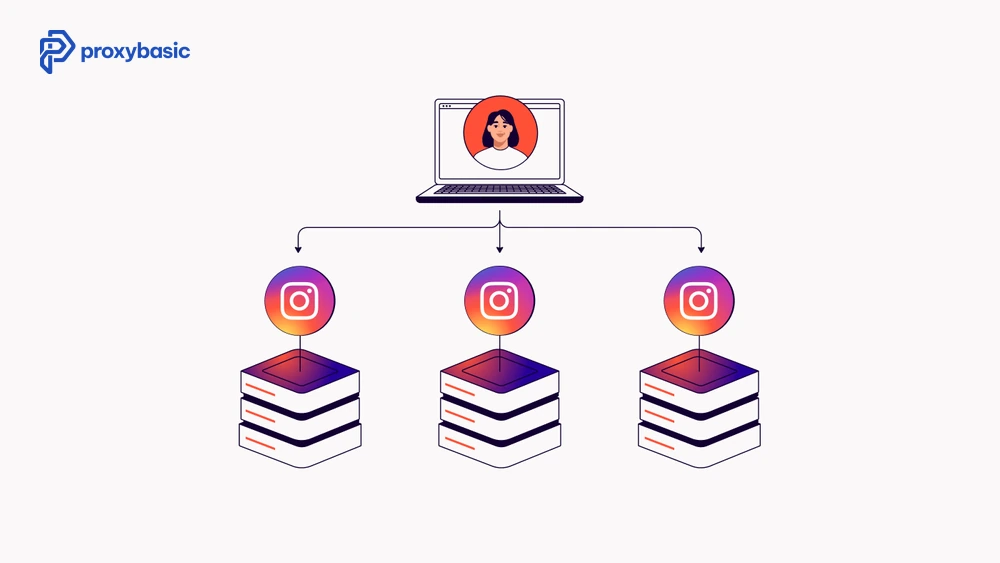
Instagram blocks bot traffic, account automation, and data scrapers more aggressively than most platforms. Standard proxies get flagged within hours. Residential proxies for Instagram are the only type that consistently pass its detection systems, and even then, setup matters as much as the proxy itself.
This article covers why residential proxies work for Instagram, what to look for when picking one, and which providers actually hold up when tested.
Why Instagram Needs Residential Proxies (Not Datacenter)
Instagram’s anti-bot systems run on a layered detection model. The first layer is IP reputation. Datacenter IP ranges (AWS, DigitalOcean, Hetzner) are flagged before your first request lands. Instagram maintains updated blocklists of hosting company IP blocks and rejects traffic from them outright.
Residential proxies route your requests through IPs assigned to real home internet connections. From Instagram’s perspective, the traffic looks like a regular user browsing from their house. That alone clears the first detection layer.
How Instagram Detects and Bans Proxy Users
Beyond IP reputation, Instagram cross-checks:
- Request frequency and timing patterns
- Login location history (sudden geo-changes flag accounts)
- Device fingerprint signals embedded in API calls
- Cookie and session consistency across requests
A residential proxy covers the IP layer. For bot use cases, you also need to manage request timing, rotate user-agents, and use persistent sessions per account.
Understanding the Instagram Trust Score and Residentials
Instagram doesn’t just block IPs; it assigns a “Trust Score” to every connection. When you use residential proxies for Instagram, you are essentially inheriting the reputation of a home internet user. This is a critical distinction because the platform’s algorithm is designed to be lenient toward residential subnets to avoid “collateral damage”, blocking a legitimate family or a small business.
A high-quality residential proxy helps maintain this score by providing a consistent ASN (Autonomous System Number). If you use an Instagram proxy that belongs to a known mobile or home ISP, your account is less likely to trigger a “Challenge Required” verification. By utilizing residential proxies for Instagram, agencies can ensure that their automated actions, such as liking or following, mimic the organic behavior of a real person, which is the cornerstone of long-term account longevity.
Residential vs Mobile Proxies for Instagram
Mobile proxies use IPs from mobile carrier networks (4G/5G). They carry the highest trust score on Instagram because mobile IPs are shared among millions of real users; mass-banning a mobile IP range would also block legitimate users. Instagram almost never bans mobile carrier IPs.
For the highest success rate on sensitive tasks (running automation bots, managing aged accounts), mobile proxies outperform residential. For standard scraping and multi-account management, residential proxies are more cost-effective and reliable enough.
What to Look for in an Instagram Proxy
Choosing the right Instagram proxy is not just about price or provider. We need to evaluate key factors like IP quality, rotation control, and session stability to avoid detection and keep accounts safe.
IP Pool Size and Rotation Options
A small proxy pool means your IPs recycle quickly. If the same IP hits an Instagram account twice in a short window from different sessions, it creates a link. Look for providers with pools above 10 million residential IPs.
For automation, use rotating proxies with sticky sessions , one IP held for the duration of a bot session, then released. For scraping public data, pure rotating proxies work fine.
Geo-Targeting and City-Level Accuracy
Instagram personalizes content and enforces regional restrictions by location. If you’re managing accounts registered in specific cities, match your proxy location to the account’s home city. Providers that offer city-level targeting give you tighter control over this.
Session Persistence for Account Safety
The single biggest mistake with Instagram proxies is IP churn mid-session. If an account’s IP changes while it’s active, Instagram logs the location jump as suspicious. Use sticky sessions of at least 10-30 minutes and avoid rotating IPs on live accounts.
Best Residential Proxies for Instagram (Tested)
To help you choose the right solution, we tested several residential proxy providers based on success rate, IP quality, geo-targeting accuracy, and performance on Instagram. Below are the most reliable options for different use cases.
1. Decodo (ex Smartproxy)
Decodo offers one of the cleanest residential pools for Instagram use. Their US residential IPs pass Instagram’s trust checks consistently, and sticky sessions hold reliably for up to 30 minutes. Pricing starts at around $2.50/GB with a 100MB free trial.
Good for: multi-account management, Instagram bots (Jarvee, Instabot)
2. Bright Data
Bright Data has the largest residential proxy network available, over 72 million IPs across 195 countries. City-level targeting is accurate, and their proxy manager dashboard makes session assignment straightforward. More expensive than competitors, but the IP quality shows in lower block rates.
Good for: large-scale scraping, agencies managing hundreds of accounts
3. IPRoyal
IPRoyal offers both rotating residential and static residential (ISP) proxies. Their static IPs work well for accounts that need a permanent, consistent IP, particularly aged accounts where IP stability matters more than rotation.
Good for: aged account management, long-term sessions
4. Infatica
Infatica focuses specifically on social media use cases. Their residential pool performs well for Instagram account creation and automation, with geo-targeting down to the city level. Pricing is competitive in the mid-range.
Good for: account creation, automation at moderate scale
5. Oxylabs
Oxylabs targets enterprise users. Their residential network covers 195+ countries with high IP availability even in smaller markets. For agencies running Instagram operations across multiple countries, Oxylabs handles geo-targeting reliably.
Good for: enterprise-scale operations, multi-country account management
How to Use Residential Proxies for Instagram
Setting Up Proxies with Instagram Bots
Most Instagram automation tools (Jarvee, FollowAdder, Instazood) have built-in proxy fields. The setup flow:
- Get your proxy credentials from your provider (host, port, username, password)
- In your bot settings, assign one proxy per account , never share
- Set session type to sticky (10-30 minutes minimum)
- Match proxy geo-location to the account’s registered country
Test each proxy against https://api.ipify.org before assigning it to a live account to confirm the IP is active and geo-correct.
Multi-Account Management on Instagram
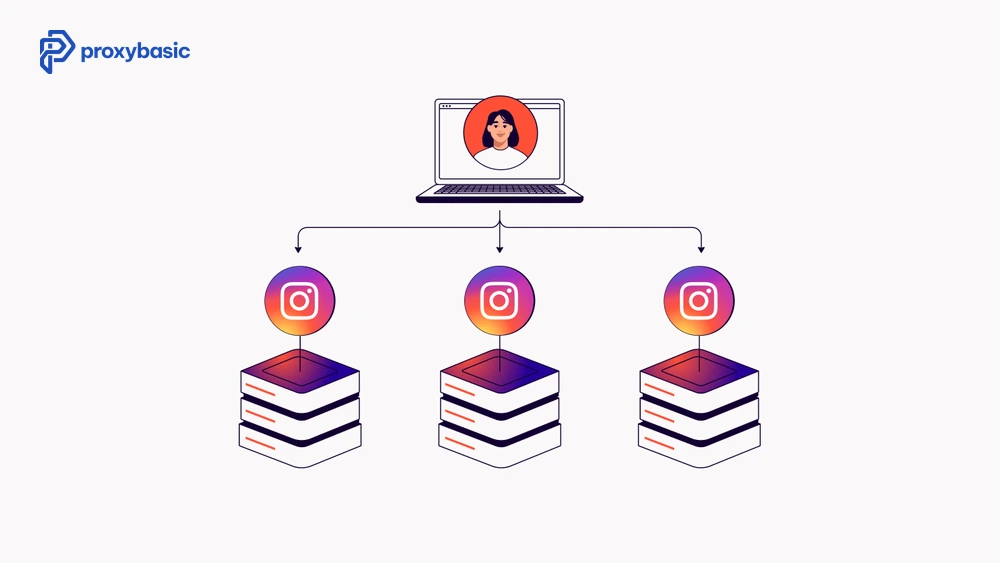
Running multiple Instagram accounts from one device requires both residential proxies and browser profile isolation. Use an anti-detect browser (Multilogin, AdsPower) with one browser profile per account, and assign one sticky residential proxy session to each profile.
Never open two accounts from the same browser profile, even if you swap proxies between sessions. Instagram tracks browser fingerprints independently of IP.
Syncing Anti-Detect Browsers with Instagram Proxies
To manage high-value accounts, a proxy alone isn’t enough; you must isolate the entire digital environment. Anti-detect browsers allow you to create unique hardware fingerprints for every account. When you pair these profiles with dedicated Instagram proxies, you create a “silo” that prevents Instagram from linking your accounts.
The setup for an Instagram proxy within these browsers should follow these technical steps:
- WebRTC Management: Ensure WebRTC is set to “Manual” or “Blurred” so it doesn’t leak your real IP behind the residential proxy.
- Timezone Matching: The browser’s timezone must match the geo-location of your residential proxy / proxies exactly. A mismatch is a “red flag” for the platform.
- Canvas and WebGL Noise: Adding slight noise to these fingerprints makes each session unique, even if you are using multiple residential proxies for Instagram from the same provider.
By maintaining a consistent sticky session within your anti-detect profile, you ensure that the “cookies” and “IP” remain tethered, which significantly reduces the risk of automated shadowbans.
Scraping Instagram Data Without Getting Blocked
For scraping public Instagram data (posts, follower counts, hashtag feeds), use rotating residential proxies with randomized delays between requests; 2 to 8 seconds works well. Keep requests per IP below 60 per hour to stay under Instagram’s rate limit thresholds.
Scraping private data or requiring a login will need the full sticky session + account setup approach described above.
Decoding Instagram Error Messages and Proxy Failures
When working with instagram proxies, you will inevitably encounter error codes. Understanding these is vital for maintaining your workflow:
|
Error Code |
Meaning |
Proxy Solution |
|
Feedback Required |
Rate limit reached. |
Increase delay or rotate the residential proxy. |
|
Challenge Required |
Suspicious login detected. |
Ensure your sticky session is active and the geo-location is consistent. |
|
Action Blocked |
Behavioral flag. |
Switch to a higher-quality residential proxy and slow down request speed. |
Most of these issues arise from using a low-quality proxy. If a residential proxy is “blacklisted” on other platforms, it may carry a negative reputation over to Instagram. Using residential proxies for Instagram from premium providers ensures that your IPs are fresh and haven’t been abused by other bot networks.
Common Instagram Proxy Mistakes to Avoid
Using the same proxy for multiple accounts. Even a brief overlap in IP usage between two accounts creates a link. One proxy, one account, always.
Switching proxy providers mid-campaign. If an aged account has been using Decodo IPs for months, switching to a different provider changes the IP range history. Instagram may flag the location change. Stick to one provider per account cluster.
Ignoring request headers. Proxies handle IP. Your scraper or bot still needs proper Instagram-like headers, a correct user-agent, accept-language, and cookie handling. A residential IP with bot-looking headers still gets flagged.
Buying cheap shared proxies. Shared residential proxies mean other users have used those IPs against Instagram already. A previously flagged IP carries that history. Premium providers refresh their pools more aggressively and check IP reputation before assigning them.
High-Volume Scraping with Residential Proxies for Instagram
For data scientists and marketers, scraping public data is the primary goal. Because the platform has strict per-IP limits, you must use a large pool of residential proxies. A successful scraping architecture involves:
- Request Pacing: Using residential proxies to spread 1,000 requests across 1,000 different IPs rather than one.
- Header Randomization: Matching the headers of your Instagram proxy requests to look like various mobile devices (iPhone 15, Samsung S24, etc.).
- Geo-targeting: Using residential proxies for Instagram to see localized content or trending hashtags in specific cities like London or New York.
Conclusion
Residential proxies for Instagram work because they mimic real user traffic at the IP layer. But the proxy is only part of the setup. Pair it with sticky sessions, proper geo-targeting, and browser fingerprint isolation for account management, or clean rotating sessions with rate-limited requests for scraping.
Decodo and IPRoyal cover most use cases at a reasonable cost. Bright Data is worth the premium for large-scale operations. Mobile proxies are available if you need maximum account safety for high-value aged profiles.
Visit [domain.com] for updated pricing comparisons and tested proxy configurations for Instagram in 2026.