Residential proxies bypass anti-bot systems like Cloudflare and DataDome because their IP addresses come from real home ISPs, not data centers, which means security systems treat them as normal users rather than automated scripts. Getting a 403 Forbidden page or stuck in a CAPTCHA loop is a direct sign the site has flagged your IP as a server-side source.
After that, the next step is understanding exactly what signals anti-bot platforms check: IP reputation, browser fingerprint, TLS handshake, so you know which configuration gaps are causing the block. Pairing a residential proxy with the right stealth setup cuts block rates for most scraping and automation tasks.
This guide walks through the detection layers, proxy types, code setup, and common errors, so your projects run with fewer interruptions.
What Anti-Bot Systems Actually Check
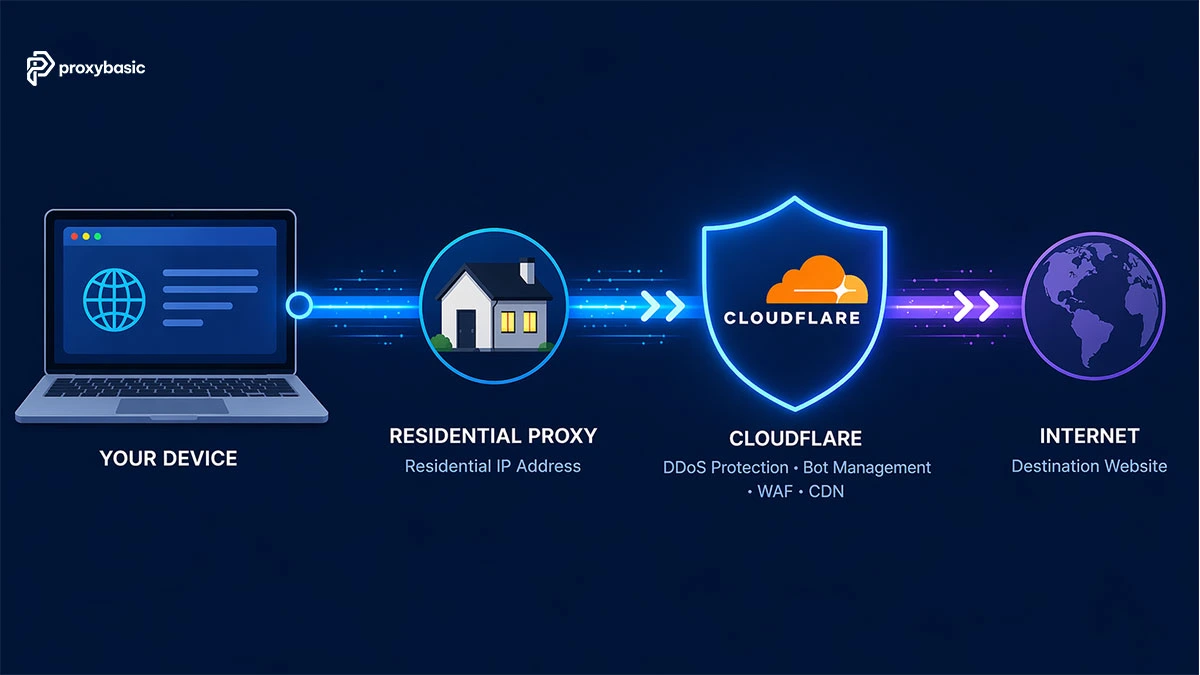
Anti-bot platforms use at least three detection layers stacked together, and failing any one of them is enough to trigger a block.
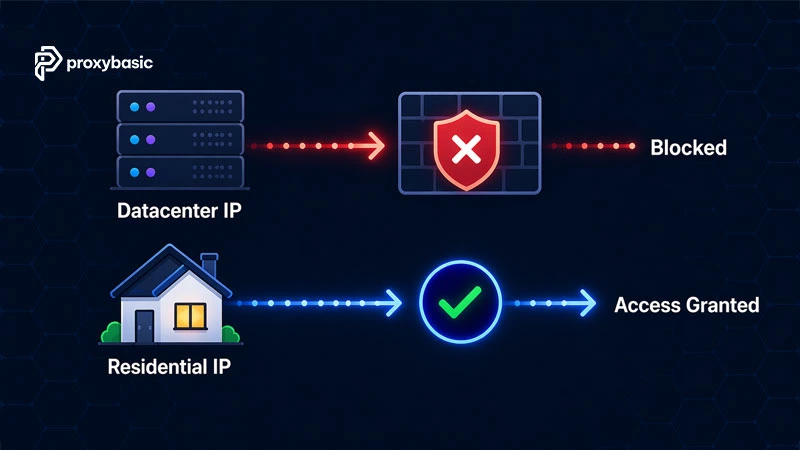
The IP check is the fastest filter. Data center IPs belong to hosting providers and sit on widely known block lists. Residential IPs, assigned by ISPs to home users, carry a high trust score by default. After that, even a clean IP can fail the browser fingerprint check if your client sends a mismatched TLS handshake or leaks navigator.webdriver. Behavioral signals: request timing patterns, mouse movement, scroll speed, make up the third layer.
The table below shows how IP type affects detection risk across common anti-bot platforms.
Residential proxies reduce exposure on all three layers at once. Datacenter IPs fail the first check immediately, making the other two layers irrelevant.
|
IP Type |
Trust Score | Challenge Rate | Typical Result |
|---|---|---|---|
| Datacenter | Low | Very high | Blocked or CAPTCHA |
| Residential (Rotating) | High | Low | Direct access |
| Residential (Static/ISP) | High | Medium | Good for sessions |
| Mobile 4G/5G | Very high | Very low | Rarely blocked |
IP Reputation
The first check is your IP’s registered origin. Data center ranges are logged in public and private databases, Cloudflare, DataDome, and Akamai all maintain their own. A residential IP from an ISP like Comcast or Deutsche Telekom passes this check without any extra configuration.
Browser Fingerprinting
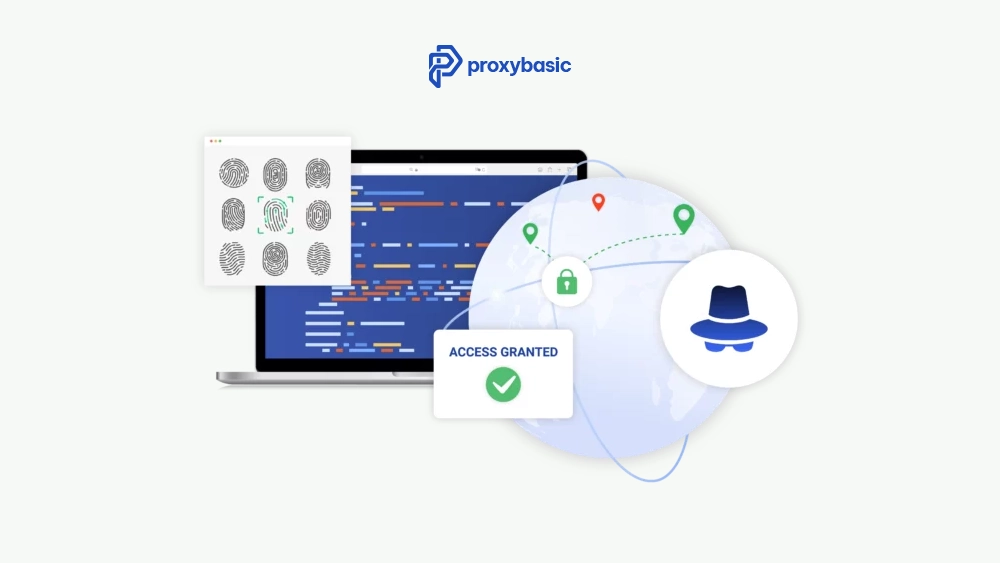
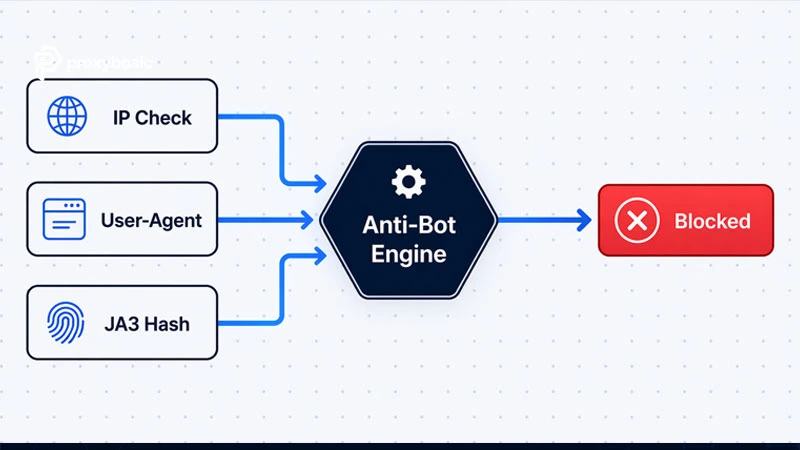
Canvas rendering, WebGL signatures, TLS cipher suites, HTTP version, and the presence of navigator.webdriver all feed into fingerprint scoring. A Python requests call claiming to be Chrome 136 will produce a JA3 hash that matches Python’s urllib, not Chrome. Anti-bots see the mismatch and block regardless of IP quality.
Behavioral Analysis
Request interval patterns, click timing, and scroll behavior contribute to a session-level score. Scripts sending requests at exactly 1-second intervals look nothing like a human browsing session. Randomizing delays with time.sleep(random.uniform(2, 6)) is one of the simplest fixes.
How to Bypass Cloudflare with Residential Proxies
Residential proxies bypass Cloudflare because they route traffic through home ISP addresses that score well below Cloudflare’s block threshold. Cloudflare’s WAF assigns a reputation score to every request: residential IPs from major ISPs consistently pass this check where data center IPs fail.
Two configuration steps make the biggest difference in practice.
Rotate IPs Per Session
Assign a fresh IP to every new session. This prevents Cloudflare from correlating high request volume to a single source IP. Most residential proxy providers expose a rotating endpoint that handles this automatically via a single gateway address. The rotation happens server-side, so no code change is needed beyond pointing requests at that endpoint.
Match Browser Settings to Proxy Geo-Location
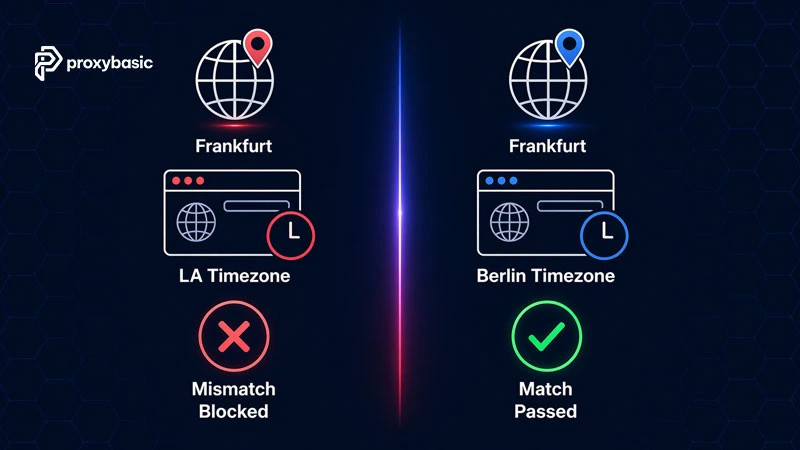
If your proxy IP is in Frankfurt but your browser timezone is set to Los Angeles, Cloudflare flags the inconsistency. Locale, timezone, Accept-Language header, and User-Agent must all align with the proxy’s geographic location. Missing this step accounts for a large share of unexpected 403 errors even when the IP itself is clean.
Reducing CAPTCHA Triggers
Bypass captcha residential proxy strategy works on the principle of avoidance rather than solving. High-quality residential IPs reduce CAPTCHA frequency because the site’s scoring engine treats them as real users.
For tasks that require a logged-in session, sticky residential proxies hold the same IP for a set duration (typically 10 to 30 minutes), so the site does not see a new identity on each page load.
The table below compares CAPTCHA frequency across proxy modes. Choosing the right mode for the task reduces reliance on third-party solvers and speeds up the whole pipeline.
| Proxy Mode | Challenge Rate | Best Use Case |
|---|---|---|
| Rotating Residential | Low | Scraping, price monitoring |
| Sticky Residential | Medium | Logged-in sessions, checkout |
| Datacenter | Very high | Non-protected APIs only |
TLS Fingerprinting: The Most Overlooked Layer
The JA3 fingerprint is a hash of the cipher suites and TLS extensions your client presents during the SSL handshake. Every HTTP client produces a different one. A standard Python requests library will always produce a JA3 hash that matches Python’s networking stack, not Chrome’s, regardless of what User-Agent string you set.
Cloudflare’s Turnstile challenge specifically looks for this mismatch. A residential IP combined with a mismatched JA3 still fails Turnstile checks.
The table below shows what the anti-bot sees in a typical bot attempt.
| Signal | Bot Sends | Why It Fails |
|---|---|---|
| IP Address | Residential ISP | Looks like a human |
| User-Agent | Chrome 136 | Claims to be desktop |
| JA3 Fingerprint | Python urllib/3.x | Does not match Chrome’s TLS |
| Result | Blocked | High-confidence detection |
To fix this, use curl_cffi in Python (which replicates Chrome’s TLS stack) or a stealth-patched headless browser that sends the correct cipher suites. HTTP/2 support also matters, requests defaults to HTTP/1.1, which is another fingerprint leak when claiming to be a modern browser.
Choosing the Right Proxy Type
Selecting the right residential proxy type is the foundation of any bypass setup. Each proxy mode fits a different task profile, and mixing them up is a common source of unnecessary blocks.
Rotating Residential Proxies
Best for large-scale scraping where each request can use a different IP. Pool sizes from major providers range from 30M to 100M+ IPs. The same IP rarely repeats, which keeps session-level block rates low over long runs.
Static Residential (ISP) Proxies
These run on data center hardware but use IP ranges registered to an ISP. The result is data center speed with a residential trust score. Use them for account management, social media tasks, or any workflow that needs a persistent identity across multiple requests.
Mobile Proxies (4G/5G)
The highest-trust option available. Thousands of real users share a carrier IP through NAT. Anti-bot systems rarely block mobile IPs because doing so would catch thousands of real users as collateral damage. Use for mobile-specific APIs or the most strictly protected targets.
| Proxy Type | Best For | Key Advantage |
|---|---|---|
| Rotating Residential | Scraping, data mining | IP variety, low block rate |
| Static Residential | Sessions, account management | Speed + ISP trust score |
| Mobile 4G/5G | App APIs, strict targets | Highest IP reputation |
Code Setup That Works
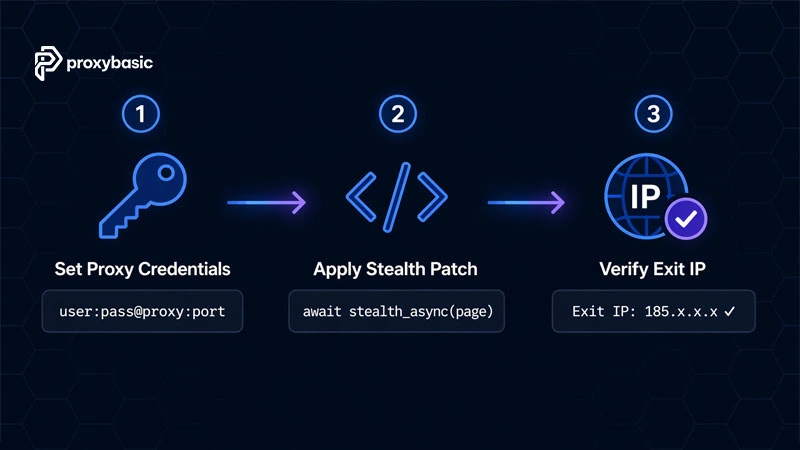
Standard headless Chrome is detected by most anti-bots through navigator.webdriver and related properties. The playwright-stealth library patches these before any request fires.
Playwright + Stealth (Python)
import asyncio
from playwright.async_api import async_playwright
from playwright_stealth import stealth_async

async def run():
    async with async_playwright() as p:
        browser = await p.chromium.launch(
            headless=True,
            proxy={
                "server": "http://your-proxy-host:port",
                "username": "your-username",
                "password": "your-password"
            }
        )
        context = await browser.new_context(
            user_agent="Mozilla/5.0 (Windows NT 10.0; Win64; x64) Chrome/136.0.0.0 Safari/537.36",
            locale="en-US",
            timezone_id="America/New_York"
        )
        page = await context.new_page()
        await stealth_async(page)
        await page.goto("https://target-site.com")
        print(await page.title())
        await browser.close()

asyncio.run(run())
Requests with Proxy Auth
For lower-security targets or direct API calls:
import requests

proxies = {
    "http": "http://username:[email protected]:port",
    "https": "http://username:[email protected]:port"
}

response = requests.get("https://api.ipify.org", proxies=proxies)
print(f"Exit IP: {response.text}")
Note: requests does not support HTTP/2 and produces a non-Chrome JA3 hash. For sites checking TLS, switch to httpx with http2=True or use curl_cffi with impersonate="chrome136".
Common Errors and How to Fix Them
Most failures are not caused by the proxy itself. They come from a mismatch between the proxy configuration and the browser’s internal state. The table below covers the three errors that appear most often and the specific fix for each.
| Error | Root Cause | Fix |
|---|---|---|
| 429 Too Many Requests | Request rate too high for IP pool size | Add random delays, increase pool size |
| 403 Forbidden Loop | Fingerprint mismatch or geo/locale conflict | Check JA3, timezone, WebRTC leaks |
| 503 Service Unavailable | IP range soft ban or site-wide protection mode | Switch geo-location, wait before retry |
429 Too Many Requests
Your rotation frequency is too low for the request volume. Add time.sleep(random.uniform(2, 6)) between requests and expand the proxy pool size.
403 Forbidden Loop
Check for WebRTC leaks first. These expose your real server IP even when the proxy is active. Then confirm the browser locale, timezone, and Accept-Language header all match the proxy’s geo-location. If those are aligned, test the JA3 fingerprint with a tool like curl_cffi to confirm the TLS signature matches Chrome.
503 Service Unavailable
The target site may have activated a site-wide protection mode, or your IP range has a temporary soft ban. Switch to a different geo-location, wait at least 10-15 minutes, and retry with a fresh session.
Conclusion: Build a Setup That Holds Up
Successfully scraping protected sites requires residential proxies as the foundation, not an afterthought. The combination of a residential IP, a correct TLS fingerprint, matched browser locale, and randomized request timing covers the main detection vectors for Cloudflare, DataDome, and Akamai.
Start with rotating residential proxies for scraping tasks, move to static ISP proxies when you need persistent sessions, and use mobile proxies for the strictest targets. Once the infrastructure is right, most fingerprint issues come down to one or two configuration details: timezone mismatch, missing HTTP/2 support, or an unpatched browser driver.
For more guides on proxy setup, provider comparisons, and anti-detect configurations, visit ProxyBasic.
FAQs
Are residential proxies legal for web scraping?
For public data, prices, listings, search results, scraping is generally permitted. Legality depends on the target site’s Terms of Service and local privacy laws such as GDPR and CCPA. Use providers that source IPs through user consent.
What is the difference between ISP proxies and residential proxies?
Residential proxies route traffic through real home devices. ISP proxies run on data center hardware but use IP addresses registered to an ISP. ISP proxies are faster and more stable. Residential proxies provide better anonymity for targets with strict detection.
Can residential proxies bypass Cloudflare Turnstile automatically?
No. A residential IP reduces the frequency of Turnstile challenges but does not eliminate them. To pass Turnstile consistently, pair the proxy with a stealth browser that produces a valid Chrome TLS fingerprint.
Do I need mobile proxies for mobile app scraping?
Yes, for targets that check mobile-specific signals. Mobile (4G/5G) proxies are the right fit when the API applies stricter rules to non-carrier IPs or when you need the highest available trust score.