Managing large residential proxy pools efficiently requires a reliable proxy manager. Whether you are a marketer, developer, business owner, or automation specialist, a residential proxy manager simplifies IP rotation, session control, authentication, and geo-targeting.
That’s why in this blog, we will explain what makes a proxy manager effective, review the top tools, and provide actionable insights on choosing and setting up the right solution to boost performance, reduce errors, and streamline workflows.
Quick Comparison: Proxy Manager Tools at a Glance
When evaluating the best proxy manager tool for residential proxies, we consider factors like platform compatibility, ease of use, proxy support, automation capabilities, and scalability. Before diving into the details, you can start by learning how to Set Up your proxy manager properly for residential proxies.
The table below summarizes the top tools, helping you quickly compare key features and choose the right solution for your workflow.
|
Tool |
Platform |
Key Features |
Best For |
|
Proxifier |
macOS only |
System-wide proxy routing, app-specific rules |
macOS users, individual developers |
|
ProxyCap |
Windows, macOS |
Per-application routing, advanced rules, and traffic capture |
Windows users, enterprise routing |
|
FoxyProxy |
Chrome, Firefox |
Browser proxy switching, multiple profiles, quick toggle |
Browser-based tasks, SEO |
|
SwitchyOmega |
Chrome, Firefox |
Multiple profiles, automatic URL-based rules, and quick switching |
Multi-profile switching, rules-based routing |
|
Oxy Proxy Manager |
Android, iOS |
Easy UI, residential proxy list management, app-specific routing |
Mobile scraping, app testing (recommended for iOS/Android) |
|
Postern |
Android |
Mobile proxy routing, app-specific rules |
Android scraping (legacy option) |
|
Proxy Switcher |
Windows, Linux |
CLI-based, scriptable, lightweight |
Technical users, automation |
|
Custom Scripts |
Any |
Full control, customizable logic |
Dev teams, custom workflows |
Browser-based proxy managers like FoxyProxy and SwitchyOmega simplify managing multiple profiles and switching connections. You can configure these extensions to handle multiple residential proxies quickly. For example, SwitchyOmega allows users to set rules for URLs and automate profile switching using a proxy switcher for smooth operations. .
1. Proxifier
Proxifier is a desktop-focused proxy manager that enables system-wide proxy routing and per-application rules. It supports Windows and macOS, allowing you to direct traffic from any application through residential proxies.
Key Features:
- Route any application through a proxy
- Profile management for different workflows
- Advanced rule configuration for network traffic
Advantages:
- Works with any TCP/UDP app
- Stable for multi-protocol workflows
Disadvantages:
- Desktop-only
- Slightly steep learning curve for beginners
Ideal Use Cases: Enterprise environments, developers needing application-specific proxy routing, and users handling large volumes of multi-application traffic.
2. ProxyCap
ProxyCap is a proxy manager tool for Windows and macOS that focuses on per-application routing. It allows users to set rules for which applications or destinations use specific residential proxies.

Key Features:
- Advanced rule sets for applications
- Supports SSH and SOCKS/HTTP proxies
- Session-based routing
Advantages:
- Precise control over individual applications
- Works with multiple proxy types
- Supports complex routing scenarios
Disadvantages:
- Desktop-only, no browser extension
- Slightly complex setup for beginners
Ideal Use Cases: Developers, automation specialists, and environments needing granular per-application proxy control.
3. FoxyProxy
FoxyProxy ranks as a classic browser-based extension built to simplify standard web surfing configurations. It replaces cumbersome internal browser connection menus with a responsive, accessible toolbar interface.

Key Features:
- Automated profile selection based on URL patterns
- Quick switching between multiple residential proxies
- Compatible with web scraping and SEO tools
Advantages:
- Easy to manage multiple browser profiles
- Supports URL-based automatic proxy switching
- No system-wide setup required
Disadvantages:
- Limited to browsers
- Not suitable for system-wide application routing
Ideal Use Cases: Web scraping, account management, and browser-focused automation tasks.
4. SwitchyOmega
SwitchyOmega serves as a highly efficient, lightweight browser extension designed for fast profile management. It lets you store multiple proxy credentials and swap active network connection identities with a single click.
Key Features:
- Multiple profiles with rules and auto-switching
- Simplified UI for managing several proxies
- Supports HTTP, HTTPS, and SOCKS
Advantages:
- Fast switching between proxies
- User-friendly interface
- Supports advanced browser routing rules
Disadvantages:
- Browser-only solution
- No system-wide traffic control
Ideal Use Cases: Users needing fast browser proxy switching for scraping, testing, or automation tasks.
5. Postern
Postern is an Android mobile proxy manager for app-specific routing and multi-proxy support. Postern fills an essential niche by serving as a robust network configuration controller for Android mobile operating systems.

Key Features:
- Mobile proxy routing for individual apps
- Custom profiles for specific connections
- Supports SOCKS and HTTP proxies
Advantages:
- Mobile-focused, ideal for Android apps
- Flexible profile setup per app
- Supports multiple proxy types
Disadvantages:
- Android-only
- Requires manual configuration for complex workflows
Ideal Use Cases: Mobile scraping, app testing with geographic IP control, and managing residential proxies on the go.
6. Open-Source Proxy Managers
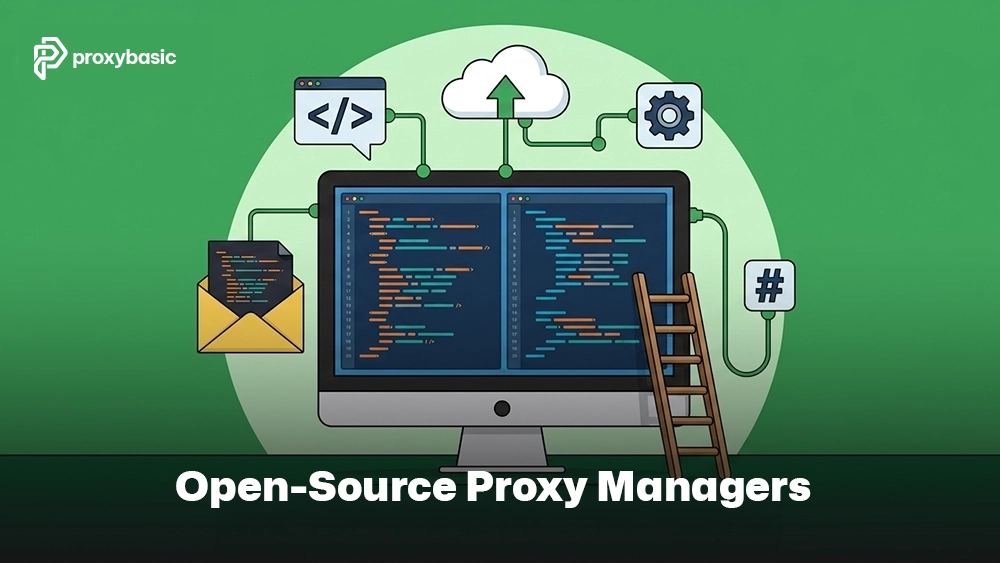
Open-source proxy manager tools provide flexibility and customization for technical users. These community-driven projects let you modify the underlying code to handle highly specific enterprise automation tasks.
Advantages:
- Highly customizable
- Community-driven support
- Cost-effective
Disadvantages:
- Requires technical knowledge
- Less user-friendly for beginners
- Limited official support
Ideal Use Cases: Technical users, developers, and teams needing full control over proxy routing and automation workflows without additional cost.
Core Features Every Residential Proxy Manager Should Have
A reliable residential proxy manager should provide all the essential tools to keep your proxy operations smooth, secure, and efficient. Key features include:
- Proxy Rotation Controls: Supports automatic or scheduled IP rotation and sticky sessions for managing multiple accounts.
- Profile and Identity Management: Enables browser profiles, session isolation, and identity separation to prevent conflicts.
- Authentication Management: Handles username/password logins, IP whitelisting, and API-based authentication.
- Geo-Targeting Controls: Allows targeting by country, state, or city for location-specific tasks.
- Traffic Monitoring and Usage Tracking: Provides logs, bandwidth monitoring, and error reporting to track proxy performance.
- DNS and Connection Management: Ensures proper DNS routing, prevents DNS leaks, and tests connectivity for reliable operations.
Choosing the Right Proxy Manager for Your Use Case
No single proxy manager suits all projects. Choose based on your operation scale, applications, and budget. You can also check out the top providers via Top Providers for guidance on residential IP sources.
- High-volume web scraping: Lightweight browser extensions like SwitchyOmega or open-source scripts keep request speeds high.
- System automation across applications: Desktop solutions like Proxifier force non-web apps through secure residential networks efficiently.
- Mobile app testing and location checks: Postern is ideal due to its native support for mobile devices.
- Localized ad verification: FoxyProxy works best, as its URL-based rules help preserve valuable residential proxy resources.
How to Set Up a Residential Proxy Manager
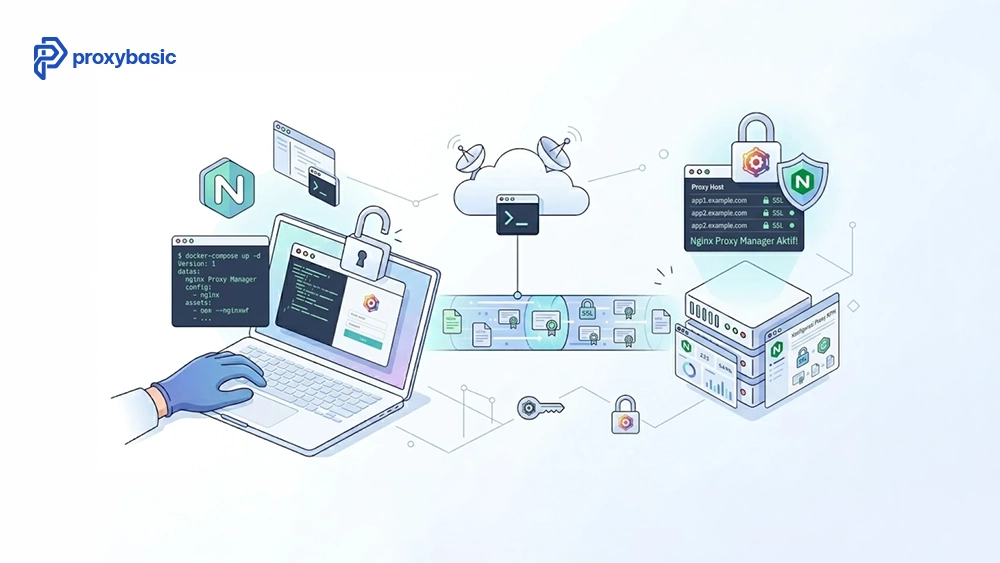
Proper setup of a proxy manager prevents authentication failures, dropped connections, and potential security issues during automated tasks. Follow this concise, step-by-step guide to connect your residential proxies to your applications safely and efficiently.
Step 1: Add Proxy Server Address
Start by entering the basic connection information in your proxy manager. This step sets up the server and port so your applications can route traffic correctly.
- Open your proxy manager application.
- Go to the proxy settings page.
- Enter the proxy server address and port number provided by your provider.
Step 2: Configure Authentication
Next, secure your connection by setting up authentication. This ensures only authorized traffic passes through your proxy manager.
- Enter username/password or whitelist your IP.
- Double-check for typos. For detailed steps, see more in Setup & Integration.
Authentication options:
- Username/Password: Direct login within the proxy manager.
- IP Whitelisting: Add your IP in the provider’s dashboard (no credentials needed).
Step 3: Create Proxy Profiles
To keep your workflow organized, create separate profiles for different projects or locations. Profiles help manage multiple proxies efficiently in your proxy manager.
- Create profiles for each project or geographic location.
- Name them clearly (e.g., US_NewYork, UK_London).
Step 4: Configure Rotation Rules
Set up IP rotation to manage how often your residential IPs change. Proper rotation improves performance and reduces the risk of blocks when using your proxy manager.
- Configure connection cycling in your manager’s settings.
- Choose the rotation mode that fits your workflow:
- Sticky Sessions: Keep the same IP for multiple requests (ideal for account logins).
- Per-Request Rotation: Change IP for each request (ideal for web scraping).
Step 5: Test Connectivity and DNS
Before running full operations, verify that your residential proxies work correctly with your proxy manager.
- Open the configured profile in your proxy manager.
- Visit an IP-checking website (e.g., httpbin.org/ip, whatismyipaddress.com).
- Confirm that the IP address and location match your intended proxy.
Step 6: Monitor Performance
Finally, monitor your connections to ensure stability. Check logs for latency, authentication errors, and dropped connections. Use guides for proxy connection timeout handling if needed. Adjust rotation and profile settings as needed to maintain smooth, reliable proxy performance.
Common Mistakes When Using Proxy Manager Tools
Incorrect setup of your proxy manager can cause tracking leaks and trigger account blocks. Below, we highlight common configuration mistakes, their effects, and quick fixes to help you protect ongoing data operations and maintain stable proxy performance.
|
Mistake |
Effect |
How to Fix |
|
Using rotating IPs for session-based tasks |
Login failures, session loss |
Use sticky sessions for accounts |
|
Ignoring DNS configuration |
DNS leaks, privacy exposure |
Configure DNS routing |
|
Overlooking bandwidth consumption |
Slow performance |
Monitor usage and optimize |
|
Choosing based only on price |
Unstable connections |
Prioritize quality providers |
|
Not rotating residential proxies properly |
Blocks and bans |
Implement automated rotation rules |
In summary, fixing these common oversights ensures your proxy manager runs smoothly and your residential proxies remain safe. Regularly reviewing configurations helps maintain account stability and prevents unwanted blocks.
Final Verdict
Choosing the right proxy manager ensures your residential proxies are fully optimized for speed, stability, and multi-application use. System-wide clients like Proxifier or ProxyCap are ideal for complex workflows, while browser-focused tools like FoxyProxy and SwitchyOmega simplify web scraping and automation.
Mobile users can rely on Postern, and technical users may prefer open-source options. Evaluate your needs carefully and select a tool that matches your workflow, scale, and geographic targeting requirements for optimal results. To go deeper into proxy management, online privacy, and network configuration, explore our residential proxy guides for more in-depth tutorials.
FAQs
What is the difference between a proxy manager and a proxy provider?
A proxy provider supplies IP addresses, while a proxy manager organizes, rotates, and routes traffic through those proxies efficiently.
Can a proxy manager rotate residential IPs automatically?
Yes. Most residential proxy managers support automatic rotation, including sticky sessions for account consistency.
Are browser proxy managers enough for large-scale scraping?
For limited tasks, yes. For large-scale operations, system-wide or enterprise proxy managers provide better control and stability.
Can I use one proxy manager with multiple proxy providers?
Yes. Many proxy managers allow adding proxies from multiple providers, enabling flexible rotation and geographic coverage.